

Your clients judge you by the site you built them, and by how it behaves six months later. Most freelance web designers lose money in two places: unbillable rebuild hours when a template will not bend, and maintenance that never appears on an invoice. The best website builder for freelancers fixes both so we found the most popular solutions, tested them and here’s what we found.
The market is saturated with a long list of options. Some are hosted all-in-one tools, others are plugins bolted onto a CMS, some are platforms sold by the client seat. What matters for a freelance practice is the best value based on their business model, how projects are managed and handed off, and who carries the maintenance afterward.
The 7 best website builders for freelancers in 2026 are:
- Squarespace: Best visual website builder for designers who don't code
- Webflow: Best for design control and client handoff
- WordPress: Best for features customization via plugins
- Wix and Wix Studio: Best free website builder for freelance web design
- SGEN: Best for easy maintenance without the plugins
- Duda: Best website builder for overall client management
- GoDaddy: Best for reliable client invoicing and payment collection
Best Website Builder for Freelancers: Quick Comparison
| Product Name | Our score out of 5 | Pricing Starts at | Project Management | Client Billing and Payments |
|---|---|---|---|---|
| Squarespace | 4.48 | $16/mo billed annually | Native CRM | Yes, Squarespace Payments |
| Webflow | 4.26 | $0 free plan, paid from $15/mo first year | Native CRM | Yes, Stripe |
| WordPress | 4.22 | Free software, hosting and plugins extra | CRM Plugin | Yes, PayPal/Stripe |
| Wix and Wix Studio | 4.15 | $0 free plan, paid from $12/mo billed annually | Native CRM | Yes, Wix Payments |
| SGEN | 4.18 | $0 Sandbox, paid from $39/mo billed annually | Native CRM | Yes, Stripe |
| Duda | 4.15 | $19/mo billed annually | Native CRM | Yes, Stripe |
| GoDaddy | 4.11 | $0 free plan, paid from $9.99/mo first year | Native CRM | Yes, GoDaddy Payments |
Methodology: How we evaluated the best website builders for freelancers
To provide a fair, unbiased recommendation, we tested over a dozen website builders in the market. The rubric scored every platform against four criteria: project management and ease of use at 30% each, pricing and features at 20% each.

Freelancers win or lose on client handling and daily workflow, not feature counts, so those carry the most weight.
We found Duda to be the only platform scoring on all six project management factors, including client billing. Squarespace pairs full site portability with strong user reviews, where Duda offers no portability at all. SGEN and Wix tie on pricing by holding renewal costs flat. SGEN leads features on unlimited bandwidth, storage, and native SEO, though its integrations trail Wix.
In the end, Squarespace takes the overall win because its strengths sit in ease of use and features, the things freelancers touch daily, while its pricing lands mid-pack.
Decision Guide: Before You Read The Evaluations
Keep in mind these five questions as you choose your website builder.
Do you need code or no code web design tools?
Most no code web design tools trade control for speed. That is the right trade when a client wants a five page brochure site next week. It is the wrong trade when the brief includes custom post types, a members area, or anything that will need a developer later. Decide which side you are on before you look at pricing, because it eliminates half the list.
Do you need a ticketing system to track ad hoc client requests?
A client emails asking for a phone number change. Twenty minutes later it is done, and nowhere on an invoice. Multiply that across a roster and the unbilled hours add up to real money. Decide now how those requests get captured, because reconstructing them at the end of the month does not work. Your options are a client-facing ticketing tool sitting alongside the platform, or a log inside the builder itself that records what changed and when.
Website builder, CMS, platform, or white label?
These four words get used interchangeably in vendor marketing and they describe genuinely different products. The distinction decides what your client owns at handoff, so it is worth thirty seconds of attention.
| Type | What it is | Who owns the site | Example here |
|---|---|---|---|
| Website builder | Hosted tool that builds and hosts the site in one product | The vendor hosts it, you hold the account | Wix, Squarespace, GoDaddy |
| CMS | Software that manages content, installed on hosting you choose | You do, fully, including files and database | WordPress |
| Platform | CMS plus hosting plus native modules in one system | The vendor hosts it, capability is not tiered | SGEN |
| White label | A platform rebranded as your own product for clients | You do, in the client's eyes | Duda, on its White Label tier |
When each one fits:
- A website builder fits when the client is non technical, the site is small, and you want to be finished.
- A CMS fits when the client needs ownership, custom content structures, or custom web design that a template cannot reach.
- A platform fits when you are tired of assembling and maintaining a stack per site and want the capability included.
- A white label website builder for freelancers fits when your contracts require your brand on the client-facing dashboard, not the vendor's.
Squarespace: Best Visual Website Builder For Designers Who Don't Code
- Our evaluation
- 4.48 / 5
- Pricing scheme
- Per site, billed annually or monthly. Advanced features gated by tier
- Best feature
- Designer-made templates that stay visually coherent under editing
- Sandbox
- 14-day free trial, no credit card. No free plan.
- Hosting
- Bundled in on every plan
Squarespace is the platform most freelance designers reach for when the brief is visual and the client is not technical. Templates are curated rather than infinite, hosting and SSL are included, and the editor produces a polished result without custom CSS.
Why we chose Squarespace
The template system is the product. Spacing, typography, and hierarchy hold together while you edit, which means a site looks professional before you have made a single deliberate design decision. Built-in blogging, ecommerce, and Acuity scheduling cover most service business briefs.
Against Wix, the trade is coherence for freedom. Wix lets you place any element anywhere, and G2 reviewers describe clients ending up with three menus and large blank spaces because nothing stopped them. Squarespace constrains the canvas, which is precisely what a designer handing a site to a non-designer wants.
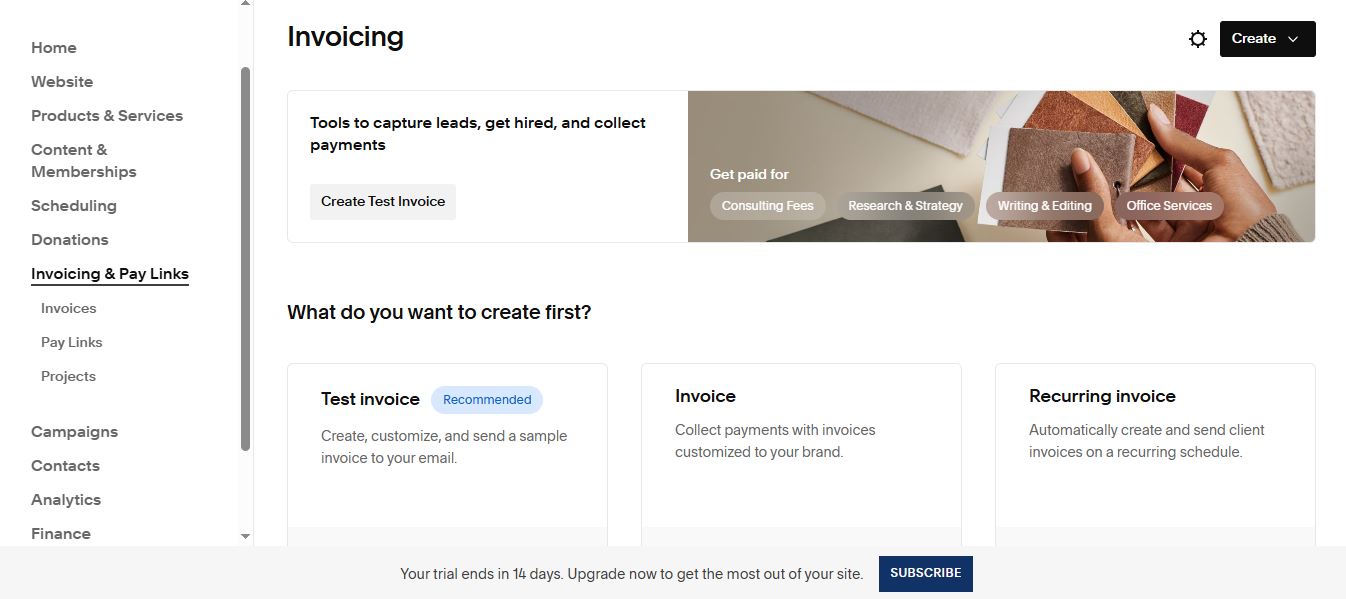
Recurring invoices run themselves, which is the difference between a retainer you bill and one you keep meaning to bill. (Source image: Squarespace)
Pricing
- Basic: $16 per month billed annually
- Core: $23 per month billed annually
- Plus: $39 per month billed annually
- Advanced: $99 per month billed annually
For a freelancer, the number that matters is the contributor cap. The entry tier allows two contributors, which is you and the client and nobody else, so a project involving a copywriter or a second designer starts at the Core tier rather than Basic.
Top features
- Designer templates: curated, responsive layouts that maintain typographic and spacing consistency while a non-designer edits them.
- Fluid editor with grid: a drag and drop canvas with alignment guides, so elements snap into position rather than drifting.
- Acuity Scheduling: dedicated booking software with staff availability, multiple locations, and automated reminders, sold separately.
- Squarespace Payments and invoicing: collect client or customer payments natively, with processing fees stepping down on higher tiers.
- Circle program: free for anyone with three or more active subscriptions, adding extended trials, priority support, and a discount on new sites.
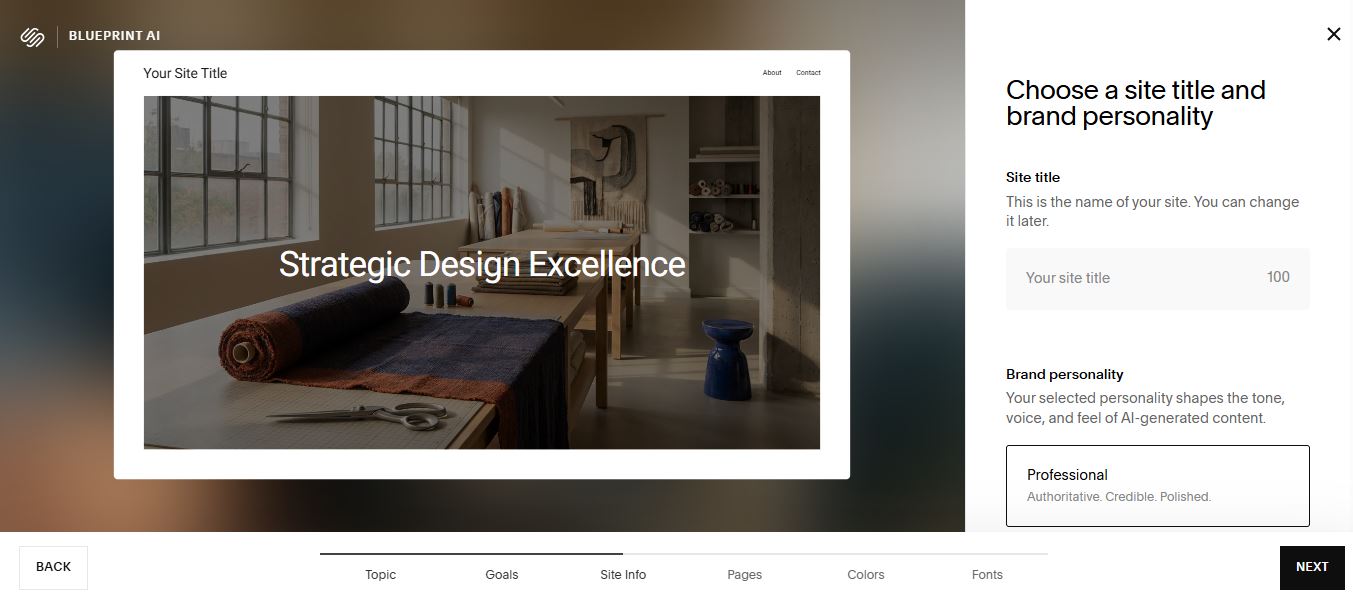
Blueprint AI asks for a brand personality before it writes anything, so the copy arrives in one voice instead of six. (Source image: Squarespace)
Squarespace groups its AI under Design Intelligence, covering layouts, image editing, SEO, and back-office work rather than text generation alone. Raw AI builders hand you disorganized custom code. Squarespace runs its AI inside a designer-vetted CMS, so the output arrives structured and a client can maintain it afterward.
How to manage client projects on Squarespace
Squarespace lacks a structured client onboarding suite but it does have a CRM feature you can combine with an intake form. There is also a client project dashboard to log manual notes and milestones. You will need a third party integration if you want a ticketing system for ad hoc maintenance requests. For client billing, you can create invoices and collect payments from clients through Squarespace Payments.
User reviews
Users praise Squarespace for ease of use, designer-made templates, and intuitive interface. Designers who build on it professionally describe training clients to self-manage as the main benefit. As for complaints, four reviewers cite long response times and billing issues, three report domain problems during migrations, and one zero-star review describes a business supplying a bill of sale and EIN registration and still being unable to take over payment for its own domain.
- Pros
- ✓Templates hold together under non-designer editing
- ✓Hosting, SSL, and updates included on every plan
- ✓Circle program gives working designers real perks
- ✓Strong booking tools through Acuity
- Cons
- ✕Entry tier caps contributors at two
- ✕No free plan, only a 14 day trial
- ✕Switching template means rebuilding from scratch
- ✕Documented billing and domain transfer disputes
Learn about our Squarespace alternative.
Webflow: Best For Design Control And Client Hand Off
- Our evaluation
- 4.26 / 5
- Pricing scheme
- By site, workspace, seat, and add-on in parallel, all billed annually. No introductory rates, so no renewal cliff
- Best feature
- Theme Builder and global design systems that update everywhere at once
- Sandbox
- Free Starter plan with no time limit. No separate trial, and free staging sites run 2 to unlimited by workspace tier
- Hosting
- Included and managed on CloudFront and Fastly, though not compulsory since exported code can be hosted anywhere
Webflow is a visual development platform where the design canvas maps to real CSS rather than to a proprietary layout system, which is why it clears the design ceiling that Squarespace and Wix impose. The trade is a genuine learning curve, and the payoff is that a finished site can leave: site transfer moves it into the client's own workspace, and code export hands over clean HTML and CSS with no attribution.
Why we chose Webflow
Template lock-in is the most expensive problem in this guide, and Webflow removes the premise rather than working around it. Wix reviewers report that switching templates means rebuilding, and Squarespace requires starting over. Webflow's canvas maps to real CSS instead of a proprietary layout system, so there is no template to be locked into and no ceiling where the platform stops cooperating. Reviewers who moved from both name the same reason: they stopped having to tell clients no.
Handoff is where Webflow separates itself, and it is the only platform here with a real answer. Site transfer moves a finished site into the client's own workspace on any tier, including free. Client payments lets the client put their own card on file for their site plan, so you stop fronting subscriptions. Client seats let them edit content without touching layout or styling, which is the failure that generates unbillable support calls. And if the relationship ends, code export hands over clean HTML and CSS with no attribution.
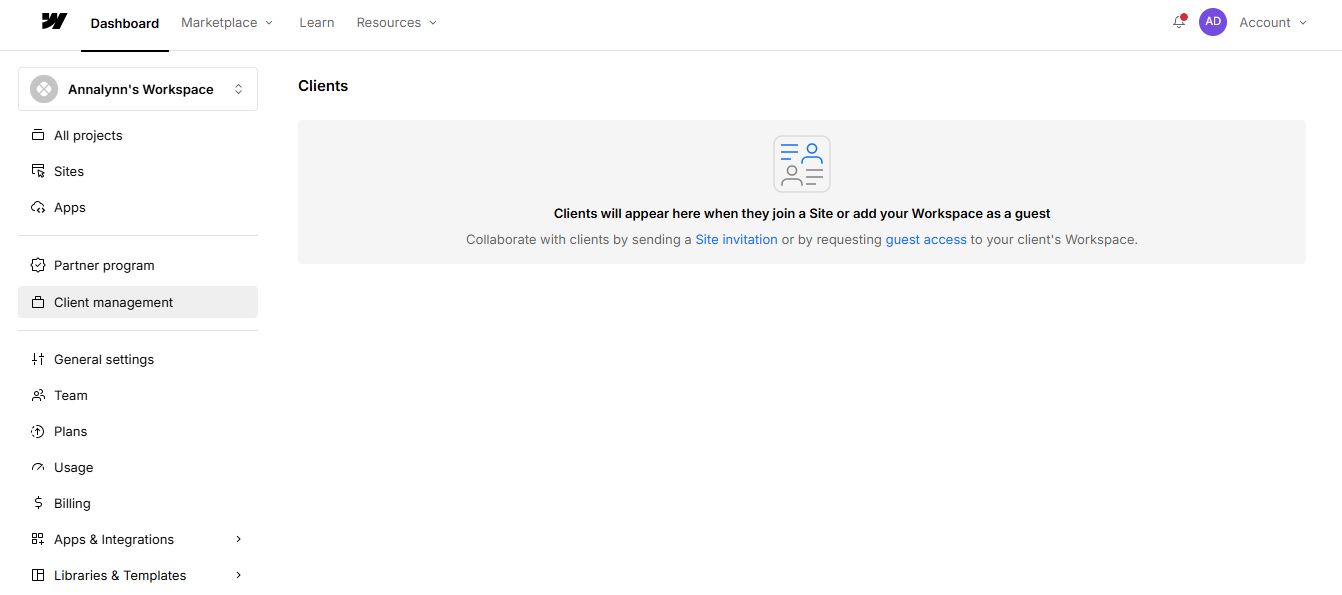
Clients enter through a site invitation or by granting you guest access, so the relationship starts in whichever workspace already holds the site. (Source image: Webflow)
Pricing
Site plans, per site, billed yearly:
- Starter: free, webflow.io subdomain, 2 static pages, 1 GB bandwidth
- Basic: $15 per month, custom domain, 300 static pages, no CMS
- Premium: $25 per month, CMS with 20,000 items, code components, site search
- Ecommerce Standard, Plus, Advanced: $29, $74, $212 per month
- Team: $2,500 per month, annual contract required
- Enterprise: contact sales
Workspace plans, freelancer and agency track, billed yearly:
- Starter: free, 2 staging sites, 1 free client seat per paid site
- Freelancer: $16 per month, 10 staging sites, client payments, full CMS access on staging
- Agency: $35 per month, unlimited staging, 3 client seats per site, 301 redirects
Added on top:
- Full seat $39 per month, limited seat $15 per month, reviewer seats free
- Bandwidth above the Premium allowance, from $20 per month for 50 GB up to $974 per month for 2.45 TB
- Optimize from $299 per month, Analyze from $9 per month, Localize from $9 per month
- AI credits $20 per month for 2,000 per month
Four price lists run in parallel here, and reviewers complain about the unpredictability more often than the price itself. One notes being charged for two seats after removing a team member, because seats must be downgraded separately from removing the person.
What is unusual is the shape rather than the level. There are no introductory rates, so nothing expires and no renewal cliff arrives, but cancelling does not stop billing for the remainder of the term. And the ladder ends abruptly: $25 per month, then $2,500 per month with nothing between. A freelancer scaling a portfolio does not grow into the next tier so much as fall off the end of the one they are on.
Top features
- Real CSS canvas: the visual editor maps to actual CSS properties rather than a proprietary layout abstraction, which is why there is no design ceiling and also why there is a learning curve.
- Shared Libraries: components, variables, and assets that push across every site in a workspace, so a design system carries from client to client instead of being rebuilt each time.
- Code export: any paid workspace plan exports clean HTML and CSS with no attribution, making Webflow the only platform here a client can genuinely leave.
- Client payments and site transfer: the client puts their own card on file for the site plan, and a finished site moves into their workspace on any tier including free.
- Staging and publishing controls: branch staging, page branching for parallel work, private staging, and single-page publishing, all absent from Wix and Squarespace.
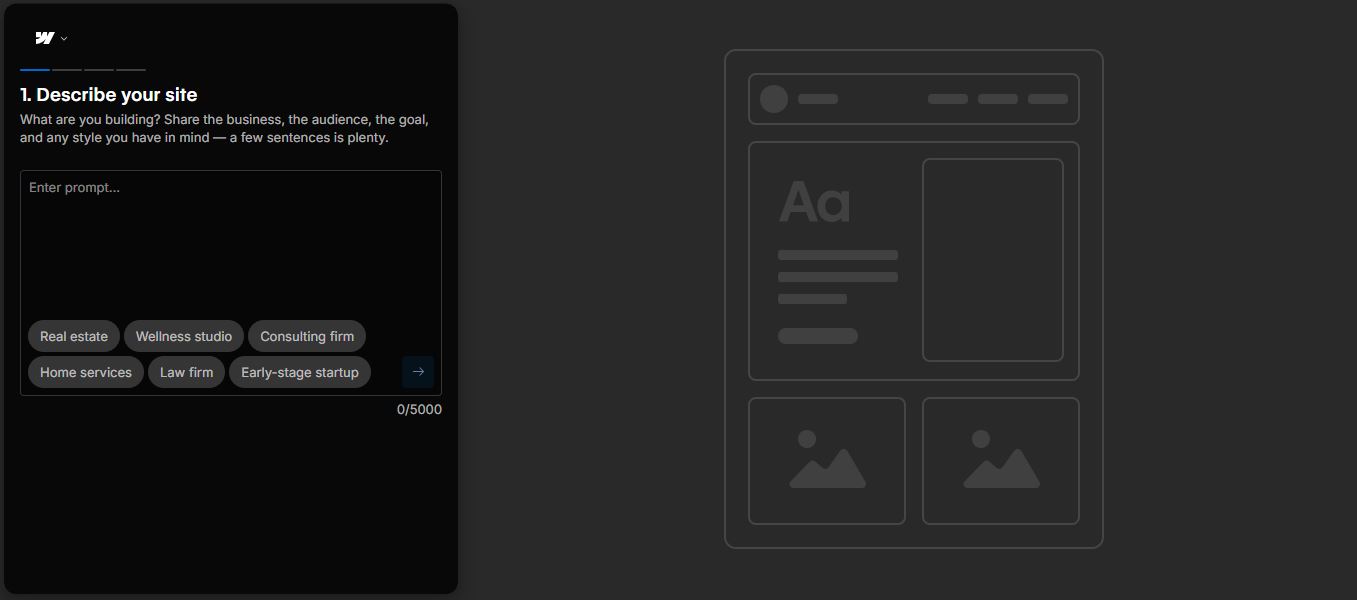
Webflow starts from a written brief rather than a template, which is the same shift in where the design decisions get made. (Source image: Webflow)
Webflow builds sites from a prompt and keeps the output inside your design system. The AI generates a production-ready site, then designs new sections using the components and styles already on the canvas rather than inventing its own. It also writes copy, generates CMS items in bulk, and runs sitewide SEO and AEO audits. An MCP server ships on every plan, including the free tier, so external coding agents can work against the site directly.
How to manage client projects on Webflow
Freelancers bring clients in through guest roles rather than a client roster: agency and freelancer guests join a client's own workspace on behalf of the whole team without consuming seats. At handoff, site transfer moves the finished site into the client's workspace, or client seats give them restricted access to edit text and images without touching layout or styling.
There is no ticketing system for ad hoc maintenance, so those requests get tracked outside Webflow or handled through comment-only review links. Billing is better served. Freelancer and Agency plans include client payments, which invites the client to put their own card on file for their site plan and add-ons, so you stop fronting subscription costs.
User reviews
Webflow's ease of use sits at 4.1 on Capterra, the lowest in this guide against Wix and Squarespace at 4.5, and its customer service is also 4.1. A high overall score built on a low ease of use score is what a professional tool looks like rather than a warning, and reviewers coming from Wix and Squarespace name unmatched customization and never having to tell a client no as the reason they stayed.
The complaints cluster on cost structure where reviewers describe pricing as difficult to determine up front. One reports being charged for two seats after removing a team member, because seats must be downgraded separately. Steep learning curve appears in almost every review including the positive ones, with several stating that working HTML and CSS knowledge is effectively required.
- Pros
- ✓No template lock-in, so rebrands are not rebuilds
- ✓Code export with no attribution, real portability
- ✓Best-in-class staging and team governance
- ✓Webflow University, repeatedly named best in class
- Cons
- ✕Steep learning curve, HTML and CSS effectively required
- ✕Four parallel price lists, true cost hard to predict
- ✕Ecommerce is thin
- ✕Email-only support, no phone or chat below $2,500 per month
WordPress: Best For Features Customization Via Plugins
- Our evaluation
- 4.22 / 5
- Pricing scheme
- Software is free. Real cost is hosting plus themes plus plugins, paid separately
- Best feature
- Full ownership of the site, database, and content, with no vendor lock-in
- Sandbox
- No trial. The software is free, so you test locally or on a host's staging environment
- Hosting
- Buy separately for .org. Bundled into the plan for .com
WordPress runs more of the web than anything else on this list, and it comes in two versions that get confused constantly. WordPress.org is free, self-hosted software you install on hosting you buy yourself, while WordPress.com is a paid hosted service from Automattic that runs the server for you. Freelance web designers building client sites should use .org, because it is the version that hands the client genuine ownership and gives you unrestricted plugin and theme access at handoff.
Why we chose WordPress
Nothing else offers as wide a customization as WordPress and its thousands of themes and plugins. A client asks for bookings, memberships, a store, multilingual pages, or a custom content type, and the answer is an install rather than a quote for custom development.
Against Squarespace and Wix, the difference is where you hit the wall. Hosted builders cover common briefs well and stop at the edge of what the vendor built. WordPress has no edge, so an unusual client requirement becomes an afternoon of research instead of an awkward conversation about scope.
That flexibility is a trade rather than a free win, which is why it lands here. Every plugin is another update cycle, another license, and another thing that breaks after a core release. For freelance web designers who can absorb that maintenance and bill for it, this is the best choice for CMS.
Discover more WordPress alternatives in this guide.
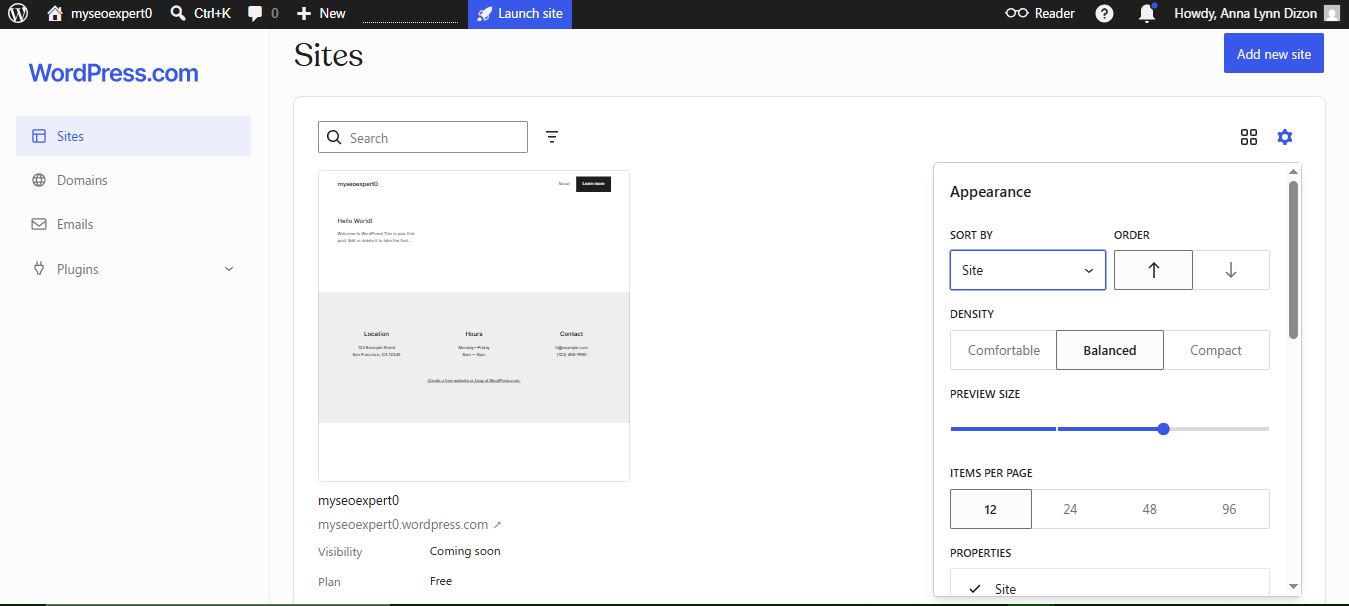
The free WordPress.com plan puts your site on a wordpress.com subdomain, so the address itself tells visitors you have not committed yet. (Source image: WordPress)
Pricing
- WordPress.org software: free, GPL licensed
- Hosting: from roughly $30 per month billed annually on managed WordPress hosting, cheaper on shared hosting
- Premium theme: typically a one-time or annual license
- Plugin stack: approximately $60 per month, or $727 per year per site
Free software is not a free website which is why WordPress is not our cheapest website builder. Once hosting, a theme, and a working plugin stack are counted, it stops being the best value option here and starts becoming line items you can eventually forget. For a freelancer, that control is worth real money on a single site and becomes a liability across ten.
Top features
- Plugin ecosystem: tens of thousands of plugins covering SEO, forms, caching, ecommerce, and security, so most client requests have an existing solution rather than a development quote.
- Block editor and site editor: reusable blocks, patterns, and templates cut repetitive build work, and clients update their own content without breaking layouts.
- Full data ownership: you control the files and database, so sites move between hosts and export without permission from a vendor.
- WooCommerce: native ecommerce that scales from a few products to large catalogs, without moving the client to a separate platform.
- Roles and permissions: granular user roles let a client edit content while you keep control of themes, plugins, and structure.
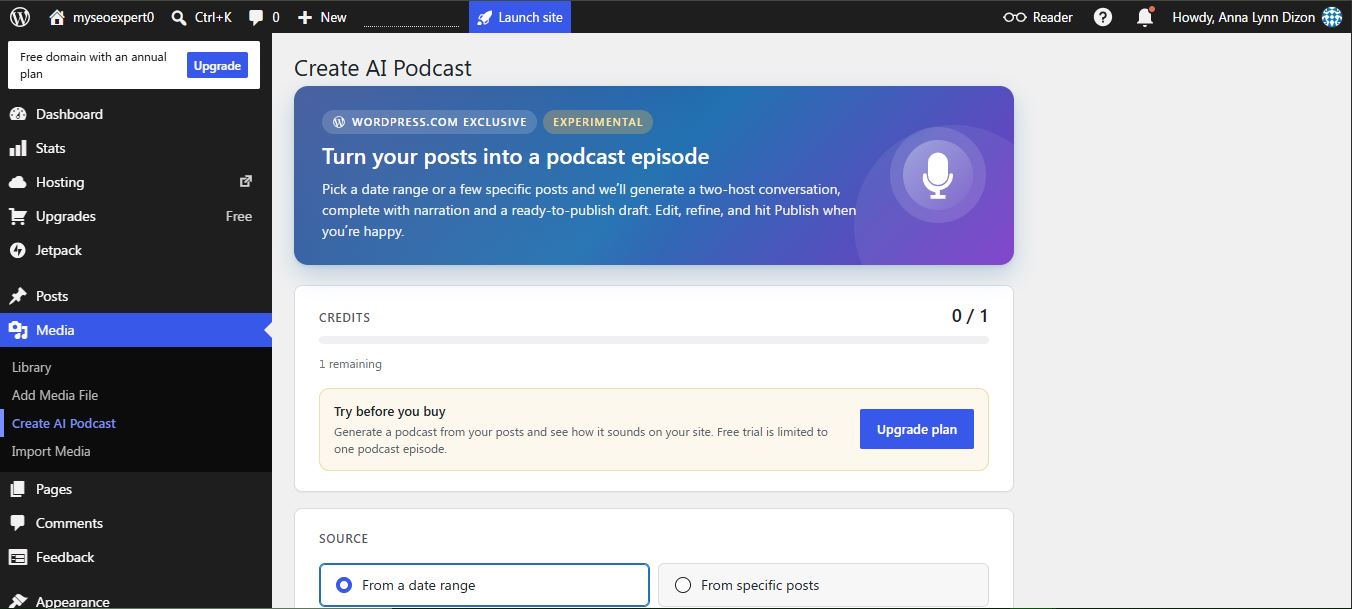
WordPress.com ships AI extras like podcast generation on a credit meter, so the free tier is a demo rather than a working feature. (Source image: WordPress)
WordPress.com builds sites from a text prompt. Describe what you want and it generates a layout, a color palette, and draft copy in one pass. From there the work moves into the native block editor, where every element the AI produced can be edited by hand.
How to manage client projects on WordPress
WordPress does not come with a native project management layer, so onboarding runs on custom intake forms built with tools like Gravity Forms to collect brand assets and hosting details. Handoff means transferring the WordPress.com site to the client's account or repointing name servers and billing, usually paired with a short walkthrough of the block editor.
Maintenance requests arrive through support plugins such as Awesome Support, while bulk updates and uptime monitoring run from centralized dashboards like ManageWP. Invoicing is not native either: WooCommerce subscriptions and Jetpack CRM cover it inside WordPress, though many freelancers skip both for Dubsado, FreshBooks, or embedded Stripe links.
User reviews
The praise is consistent across 9,544 G2 reviews: ease of use in 135, customization in 100, plugin range in 94, and flexibility and control in 63. Reviewers repeatedly describe building an entire freelance business on the platform.
The complaints cluster in one place. Plugin issues causing slow loads and vulnerabilities appear in 67 reviews, a steep learning curve around updates in 52, security concerns from self-management in 51, and plugin conflicts after updates in 36. One designer notes that free plugins often become abandonware and turn into a security risk.
- Pros
- ✓Largest plugin and theme ecosystem available
- ✓Full ownership and clean export at client handoff
- ✓Free software with no per-site license
- ✓Scales from brochure site to full ecommerce
- Cons
- ✕You own the maintenance, updates, and security
- ✕Plugin conflicts after core updates break sites
- ✕No native multi-site management across clients
- ✕Real cost rises quickly once the stack is assembled
Learn about our WordPress alternative
Wix and Wix Studio: Best Free Website Builder for Freelance Web Design
- Our evaluation
- 4.15 / 5
- Pricing scheme
- Per site, billed annually or monthly. Forever free plan available
- Best Feature
- A genuinely usable free tier with more than 900 templates
- Sandbox
- Forever free plan, plus a 14 day trial on premium plans
- Hosting
- Bundled in, including on the free plan
Wix is the only platform here with a free plan you can actually build a real site on. For a freelancer, that makes it the cheapest way to produce a working prototype a client can click through before any money changes hands. Upgrading to Wix Studio comes with a free sandbox and a suite of project management and CRM features.
Why we chose Wix
The free plan is the reason and is our overall pick among cheap website builders with CMS capabilities. You get the full editor, the template library, and hosting, with a Wix branded URL and ads as the cost. For pitching, that is the whole job: build the concept, send the link, upgrade only when the client says yes.
Against Squarespace, which offers no free plan at all, Wix lets you do speculative work without carrying a subscription. Against GoDaddy, which also has a free plan, Wix gives you 900 plus templates against roughly 200, and an app market GoDaddy does not have.
The reason it is not ranked higher is the ceiling. Once a project gets serious, users claim unexpected charges and pricing issues including high domain renewals.
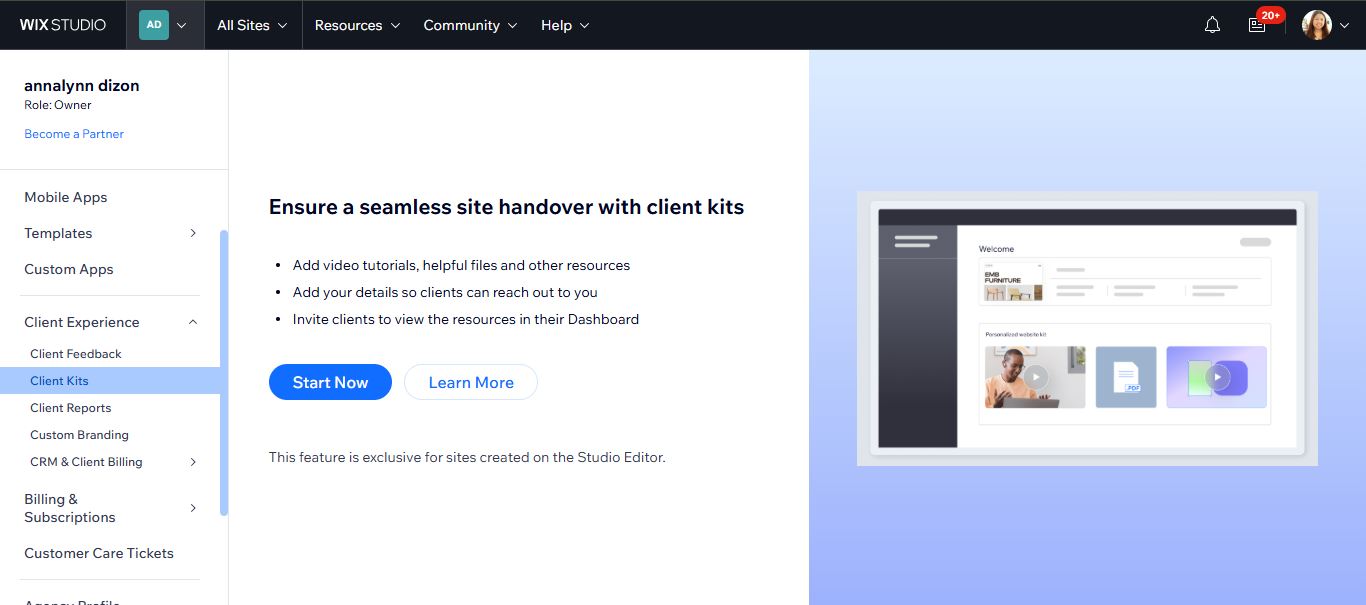
Your tutorials and contact details live in the client's own dashboard, so the first question after launch goes to a video instead of your inbox. (Source image: Wix Studio)
Pricing
Wix
- Free: $0 per month, Wix branded URL and ads
- Light: $17 per month billed annually
- Core: $29 per month billed annually
- Business: $36 per month billed annually
- Business Elite: $159 per month billed annually
Free is genuinely free and genuinely limited: no custom domain, no ecommerce, 500MB storage, and Wix advertising on the client's site. It is a pitching tool, not a delivery tool, and presenting it as a finished product will cost you the credibility the site was meant to build.
Wix Studio site plans, per client site, yearly prepaid:
- Basic: $12/mo
- Standard: $20/mo
- Plus: $32/mo
- Elite: $149/mo
All plans include custom domain support, hosting, AI tools and 24/7 care. Free domain for one year on annual site plans, 14 day money-back guarantee.
Top features
- Forever free plan: the full editor and template library at no cost, which no other platform in this guide offers.
- 900 plus templates: the largest library here, spanning industries that competitors do not cover, including education and events.
- App Market: hundreds of third party apps for booking, marketing, and ecommerce, extending the platform without code.
- AI site generation: builds a first draft site from a prompt, useful for producing a starting point in minutes.
- Wix Studio: a separate product aimed at agencies and freelancers, with multi-site management and client handover tooling.
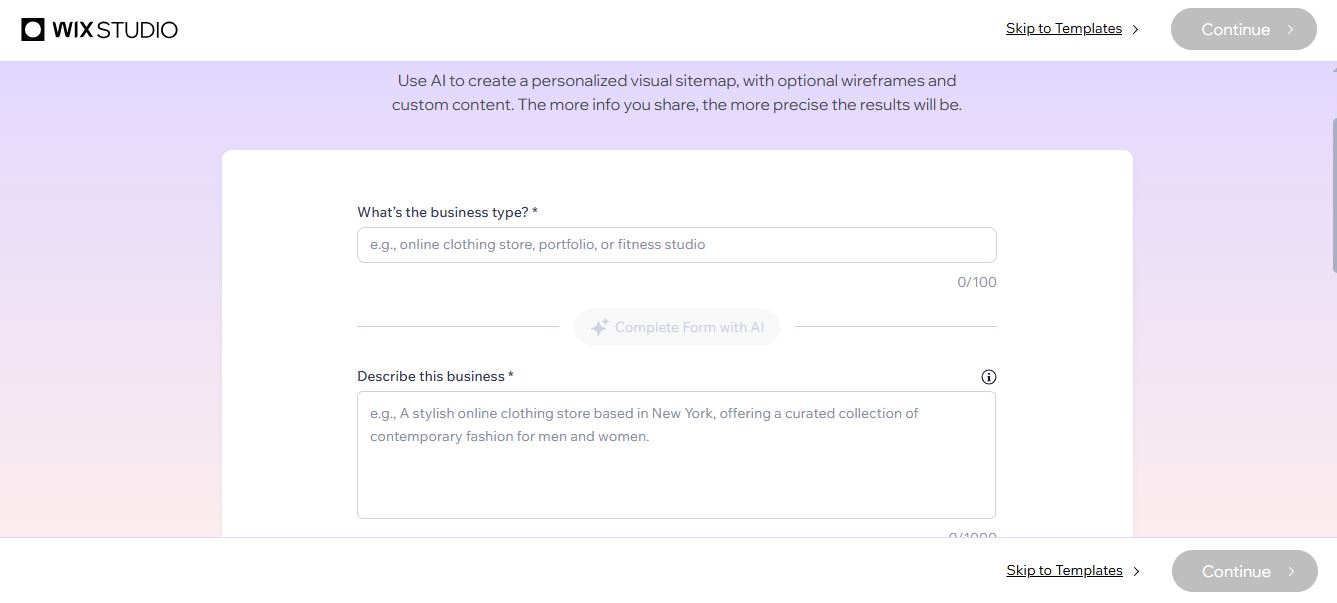
The sitemap and wireframes come out of a description of the business, so structure is settled before anyone opens the canvas (Source image: Wix Studio)
Wix layers AI across the platform rather than bolting a template generator onto the front. Harmony turns a conversation into wireframes fast, AI code assistants handle the repetitive parts of development, and pre-built marketing agents like Cleo run campaign work. The point is finishing projects faster, not replacing the designer.
How to manage client projects on Wix/ Wix Studio
Onboarding runs through the Client Kit on Wix Studio, a widget embedded in the client's own dashboard holding your tutorials, brand guidelines and contact details, so the training material sits where the client will actually look for it. Client invoicing and payment collection are also native functionalities via the CRM and its very own Wix Payments.
Handoff is where the platform's real constraint shows. There is no site export and, by Wix's own support documentation, no way to back a site up externally. A Wix Studio site cannot be moved to another host, so transferring the account is not one option among several, it is the only exit. You send an ownership request by email, the client accepts and adds their own card, and billing for the site plan and premium apps moves with it.
User reviews
Ease of use, responsive customer support, and customization options received the most compliments from real-life users. The volume of positive reviews from non-technical owners is the clearest signal that handoff goes well. Meanwhile other users complain of how switching templates requires rebuilding the site from scratch, which is the single most expensive limitation in this guide for a designer. Others also cite poor support and refund disputes.
- Pros
- ✓Only genuinely usable free plan in this guide
- ✓Largest template library, 900+
- ✓App market extends the platform without code
- ✓Fast AI site generation for first drafts
- Cons
- ✕Templates cannot be switched after publishing
- ✕Payment processing exclusive to paid tiers
- ✕Documented refund and auto renewal disputes
- ✕Free plan carries Wix branding and ads
Learn about our Wix alternative
SGEN: Best For Easy Management Without The Plugin
- Our evaluation
- 4.18 / 5
- Pricing scheme
- By live site count. The whole ecosystem is accessible in every plan.
- Best features
- 23 native modules plus the Foundation Pack on every plan, including the free tier
- Sandbox
- Free forever, no card, no deadline to decide. Auto archives after roughly 30 days idle and is restorable
- Hosting
- Bundled in on every plan, with SSL, CDN, WAF, and security patching
SGEN is a unified CMS platform built to replace a WordPress plugin stack rather than sit on top of one. Its position is straightforward: pay for sites, not features. Every plan includes all 23 native modules across 7 categories, from the free Sandbox upward.
Why we chose SGEN
While SGEN is relatively new in the market, it makes a case for ease of project maintenance. Instead of a plugin stack that's prone to bloat and unnecessary monthly cost, SGEN provides the entire website building ecosystem out-of-the-box. For freelance web designers, native tools means a streamlined, faster web design workflow.
Against WordPress, the trade is explicit: you give up the largest ecosystem on the web and get back the hours you were spending on plugin conflicts. Its SEO functions rival that of Squarespace with full schema markup, robots.txt control, XML sitemaps, redirect manager, GSC integration. Its image editing tools are not as advanced as Wix or Webflow, but AI generation and stock photos account integration is available.
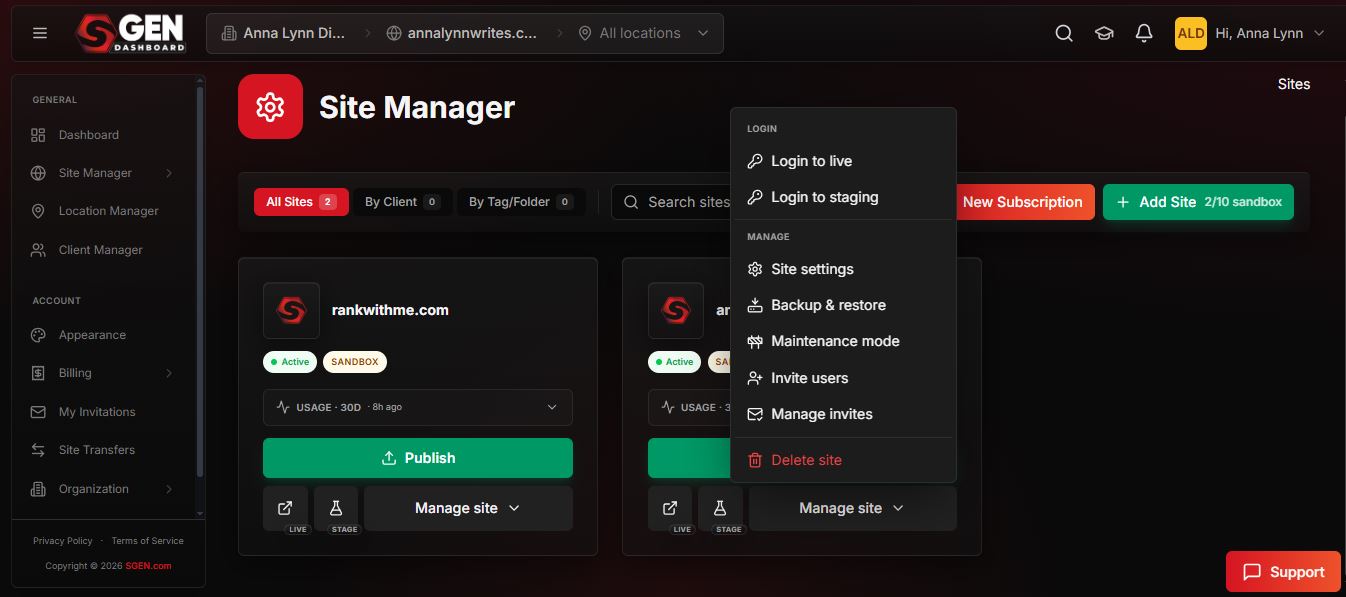
One roster, one update cycle, priced by how many sites are live. (Source image: SGEN)
Pricing
- Sandbox: $0, free forever, no card, no deadline to decide. Unlimited sandbox sites, whole platform unlocked
- Indie: $39 per month billed annually, or $47 monthly. 1 live site
- Studio: $97 per month billed annually, or $117 monthly. 3 live sites
- Scale: $297 per month billed annually, or $333 monthly. 10 live sites
- Enterprise: $497 per month billed annually, or $577 monthly. Unlimited live sites
Paid plans carry a two week free trial.
The pricing is honest about what it is: not the cheapest per site at low volume, and flat in what it includes. Indie at $39 is more than Wix Light or Squarespace Basic for one site. The case improves as client count rises, because nothing is gated and there is no plugin stack underneath adding a second invoice.
The Sandbox is the most useful part for a freelancer. Build the entire site free, with every module unlocked, and only pay when it goes live. No competitor here offers that.
Top features
- 23 native modules across 7 categories: builder, SEO, forms, ecommerce, attribution, analytics, and more, all included on every plan.
- Foundation Pack: hosting, SSL, CDN, WAF, and security patching shipped on every plan including the free Sandbox.
- Site Manager: every client site in one roster with environment status, vitals, and leads, plus one-click clone and restore.
- Stage and Live: point-in-time staging and rollback, server-side, native rather than a plugin.
- Server-rendered output: the page a visitor loads is the finished HTML, which removes a common SEO failure mode in client-side builders.
How to manage client projects on SGEN
The Site Manager is native and available on every plan including the free Sandbox, which is why the comparison table above marks it as included in free. It shows every site in one roster with environment, vitals, and lead counts, and supports clone-forward across the portfolio.
Client CRM is a native tool for managing client portfolios and serve as an onboarding workaround for freelancers. A users function also allows you to manage client access that works as a handoff. SGEN can also process payments with its partner processor, Stripe.
User reviews
SGEN does not have third-party reviews yet. It has no reviews on G2 and no profile on Capterra, Trustpilot, or BBB listing, so there is no independent sentiment to report. That is a real disadvantage against the platforms above, and it should weigh on the decision.
- Pros
- ✓Whole platform on every plan
- ✓Maintenance and security included
- ✓Free sandbox runs the whole platform
- Cons
- ✕No third-party reviews of any kind yet
- ✕No native client onboarding tools
- ✕Limited image editing tools
Duda: Best Website Builder for Client Management
- Our evaluation
- 4.15 / 5
- Pricing scheme
- Per account, not per site. Plan buys the platform plus a few included sites, extras billed separately
- Best feature
- Full white label across the builder, dashboard, preview pages, and platform emails
- Sandbox
- 14 day free trial with White Label features, no credit card, plus a 30 day money back guarantee
- Hosting
- Bundled in, on AWS with a stated 99.5 percent uptime target
Duda is built for people who sell websites to other people, which makes it the only platform here designed around handoff rather than around building. It is both a website builder and hosting platform that includes white label feature for rebranding and creating client dashboards.
Why we chose Duda
Client accounts are separate from team seats. Onboarding is unlimited and scoped only to the sites you assign them, so they can edit their own content without touching platform settings or seeing another client's work. That is the mechanism behind the handoff claim, and it is real.
Client Billing is a named platform feature rather than an afterthought, which matters given the billing disputes documented at Squarespace and Wix. Duda separates who pays from who edits by design.
Against every other platform here, white label is the difference. Duda rebrands the builder, the multi-site dashboard, preview pages, and platform emails under your name. If your contracts require your brand on the client dashboard, Duda is the white label website builder for freelancers that actually delivers it.
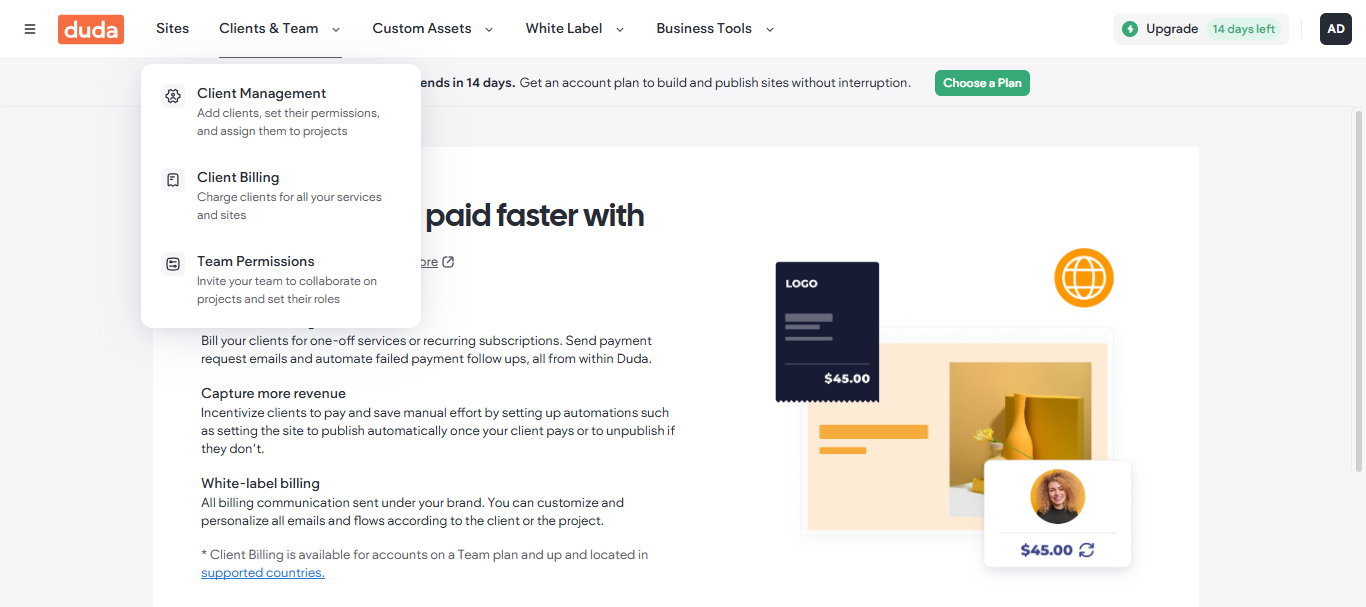
Duda bills clients under your brand and can auto-publish a site when payment clears, so the money and the delivery are the same workflow. (Source image: Duda)
Pricing
- Basic: $19 per month billed annually, or $25 monthly. 1 site included
- Team: $29 per month billed annually, or $39 monthly. 1 site, 3 team seats, unlimited client accounts
- Agency: $52 per month billed annually, or $69 monthly. 4 sites, 6 team seats, priority support
- White Label: $149 per month billed annually, or $199 monthly. 4 sites, full platform white labeling
- Custom: contact sales
- Additional sites: $19 per month or $171 per year on Basic, $17 per month or $168 per year on all higher tiers
Duda sells the platform and the sites separately, so ten client sites on the Agency plan is $52 plus six extra subscriptions, roughly $154 per month. It is transparent, but it is not cheap, and the per-site cost compounds exactly like the problem it claims to solve.
The bigger caveat is that full white labeling only exists on the $149 tier. Almost every roundup praises Duda's white label without naming the plan that unlocks it. Agency at $52 does not include it.
Top features
- Full white label: rebrand the builder, dashboard, preview pages, and platform emails, on the White Label and Custom plans only.
- Client accounts with scoped permissions: unlimited clients, each restricted to the sites you assign, separate from capped team seats.
- Client Billing: manage client payments through the platform rather than through a separate invoicing tool.
- Reusable sections and site duplication: rebuild the same structures once, then clone them forward across client projects.
- Code export: take the built site out of the platform, which is unusual in this category and matters for exit planning.
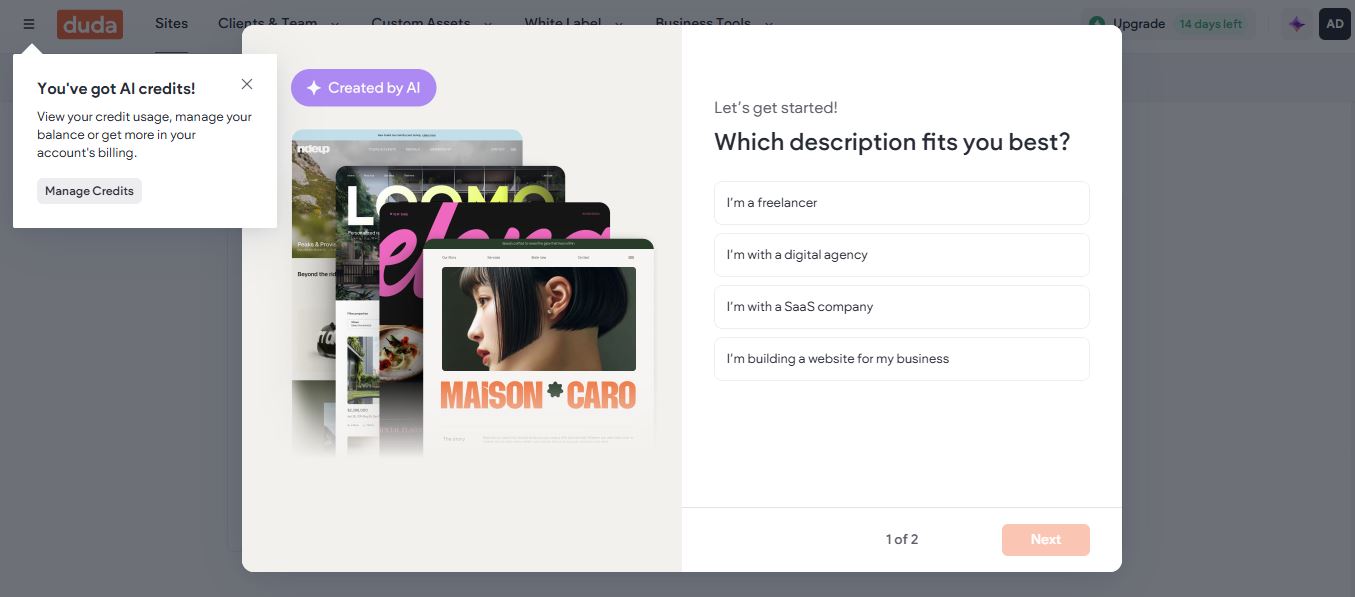
Duda sorts you by business type before you build anything, and three of its four options are people building sites for someone else. (Source image: Duda)
Duda incorporates AI through a comprehensive ecosystem called the Duda AI Stack, which focuses on accelerating agency workflows rather than just generating basic, generic text. It integrates artificial intelligence into every phase of web design, from client intake to custom widget coding and bulk SEO management.
How to manage client projects on Duda
Onboarding runs through guest roles and Shared Libraries rather than intake forms. Agency and freelancer guests join a client's own workspace on behalf of your whole team without consuming seats, and Shared Libraries push components, variables, and assets across every site you manage, which is the closest thing to a repeatable onboarding kit in this guide. There is no content collection form, so brand assets and copy still arrive however you arrange to collect them.
Site transfer moves a site into the client's own workspace on any tier including free, and unlike account transfer elsewhere, it is not the only exit: code export on any paid workspace plan hands over clean HTML and CSS with no attribution. Client seats let the client publish content afterward, one free seat per site on Freelancer and three on Agency.
Client payments feature is supported by Stripe and lets the client put their own card on file to cover the site plan and add-ons, so you never front subscription costs or mark them up, available on Freelancer and Agency and absent from Starter. But there is no invoicing product for billing your own fees.
User reviews
At 4.7 from 851 reviews, Duda is the highest rated platform in this guide. Outstanding customer support appears in 93 reviews and strong agency support in 66, which is unusual: support is the most common complaint everywhere else. Reviewers describe reusable sections, site duplication, and client permissions specifically reducing support requests.
The complaints are a single consistent theme. Limited customization appears in 45 reviews, limited features in 41, and lack of advanced features in 31. Reviewers who want highly custom layouts describe working around structural constraints. Twenty-four cite a steep learning curve coming from other builders.
- Pros
- ✓Only genuine full white label in this guide
- ✓Unlimited scoped client accounts separate from team seats
- ✓Native client billing and multi-site dashboard
- ✓Highest G2 rating here, with support as the top strength
- Cons
- ✕Full white label costs $149 per month billed annually
- ✕Sites billed separately from the platform plan
- ✕Limited customization is the dominant complaint
- ✕No free plan, and Basic omits the collaboration features
GoDaddy: Best For Reliable Client Invoicing And Payment Collection
- Our evaluation
- 4.11 / 5
- Pricing scheme
- Per site, billed annually. Steep first-year discount with a higher renewal rate
- Best Feature
- Invoicing, payments, and bookings bundled into the builder rather than added on
- Sandbox
- Free plan available, plus a 30 day free trial and a 30 day money back guarantee
- Hosting
- Bundled in on every plan
GoDaddy is the fastest route from a domain to a working site that takes money. For a freelancer whose client needs to invoice and get paid rather than win design awards, that bundling is the point, and it arrives at the lowest entry price here.
Why we chose GoDaddy
Payments, invoicing, appointments, and email marketing come in the box. GoDaddy Payments processes at 2.7 % plus $0.30 per online card transaction, flat across every tier, which is lower than Wix's 2.9 % plus $0.30 and does not require a higher plan to improve.
Bookings are on the free plan, which no other builder in this guide offers, though taking payment for bookings requires upgrading. For a service business client, that is a working quote-to-cash flow at $9.99 per month for the first year.
That said, GoDaddy's own G2 record includes unclear pricing and difficult upgrades as its top complaint, and one reviewer reports that website and domain transfer is not permitted. Weigh that against the handoff section below before recommending it to a client who may leave.
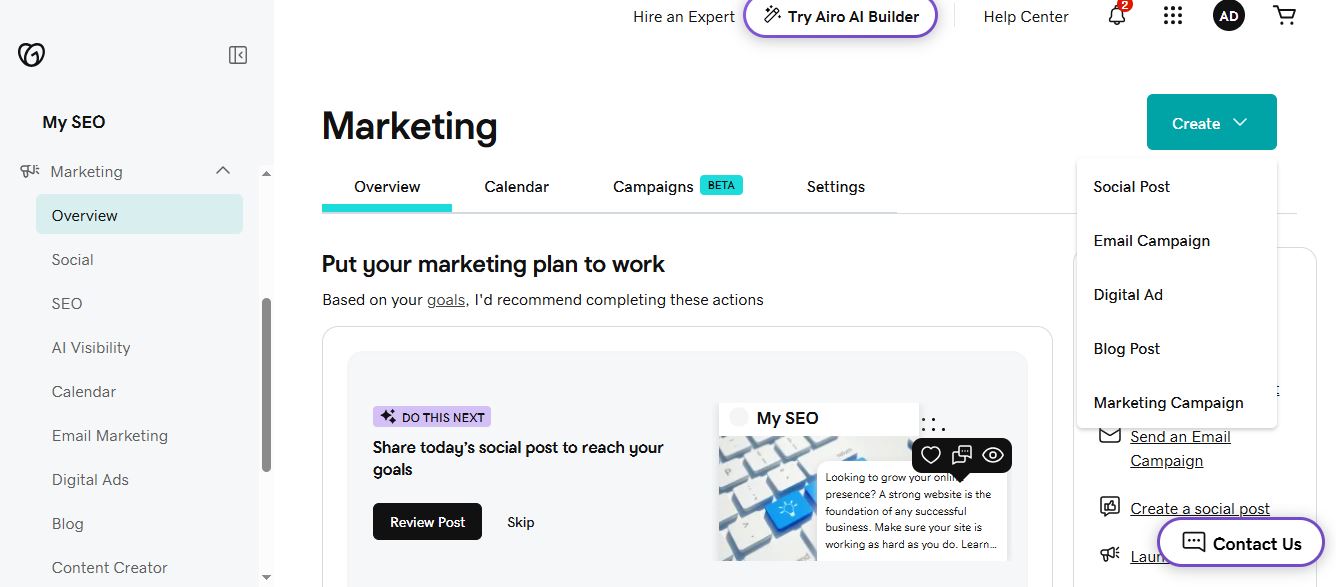
Social posts, emails, and ads are created from the same dashboard that runs the site, so promotion is one login rather than three subscriptions. (Source image: GoDaddy)
Pricing
- Free: $0 per month, includes bookings
- Basic: $9.99 per month for the first year billed annually, then $16.99
- Standard: $11.99 per month for the first year, then $22.99
- Premium: $14.99 per month for the first year, then $29.99
- Commerce: $20.99 per month for the first year, then $34.99
This is the clearest case in the guide for pricing year two rather than year one. Every tier roughly doubles at renewal, so the cheapest entry price here becomes mid-priced the moment the discount ends. Tell the client that number before they sign, not after.
Top features
- GoDaddy Payments: card processing at 2.7 percent plus $0.30, flat across all tiers rather than improving with plan price.
- Native invoicing: create and send invoices and estimates from the same dashboard that runs the site.
- Appointment booking: custom booking pages with availability management, available even on the free plan.
- AI site generation: builds a working site in two steps and under a minute, which is the fastest setup here.
- Domain and site in one account: registration, hosting, site, and Microsoft 365 email managed from a single login.
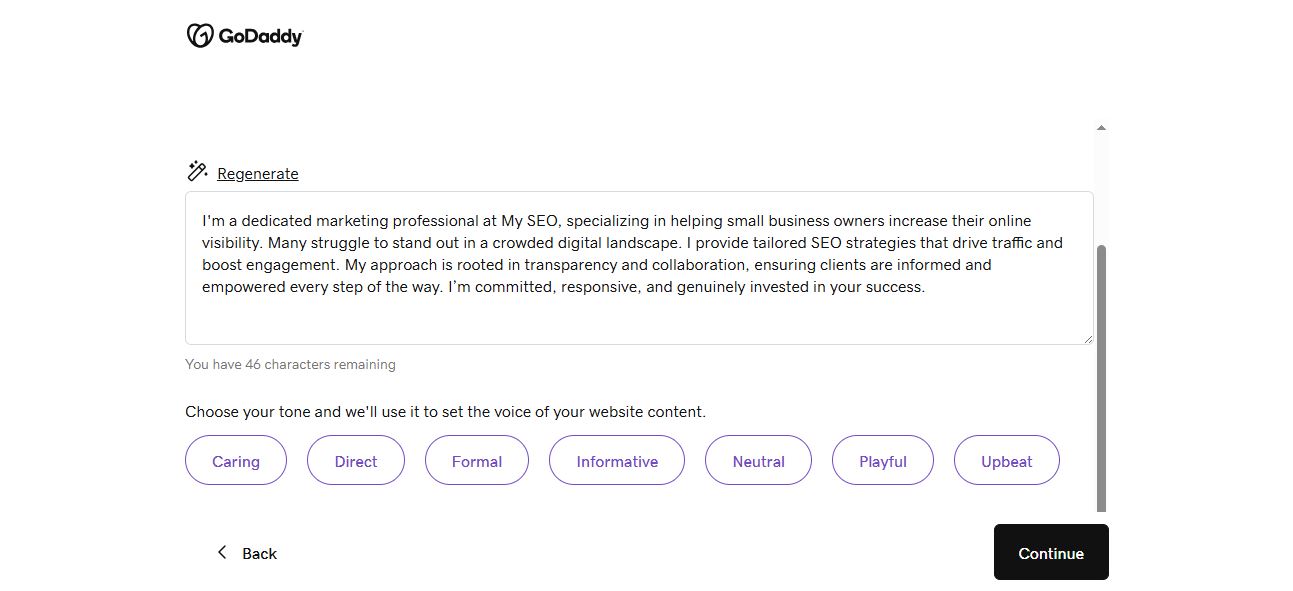
Pick a tone once and every page inherits it, which is how a site written in an afternoon still reads like one business. (Source image: GoDaddy)
GoDaddy Airo builds sites, web apps, and online stores from a text or voice prompt. It writes the layout, the starter copy, and the design sections, then handles hosting setup, security, and media selection without asking. You describe the business, and the parts most owners find intimidating are already done.
How to manage client projects on GoDaddy
GoDaddy centralizes client work in the Pro Hub. You request delegated access rather than collecting passwords, then manage every client's products from one dashboard with performance monitoring, uptime alerts, and maintenance requests tracked in one place. At handoff, you build a shared cart with the exact domains, hosting, and plans needed and send it to the client to pay.
The financial side sits in the same dashboard. Branded invoices and recurring billing cover retainers, and clients pay by card or digital wallet without leaving the platform. Design tools, project tracking, and collection in one ecosystem means fewer subscriptions and one less reconciliation between the site roster and the accounting software.
User reviews
At 189 G2 reviews, GoDaddy has the thinnest evidence base in this guide. Ease of use and quick setup are the recurring positives, and one reviewer describes accepting payments through the pay link as seamless.
The complaints are consistent with the pricing structure. The top dislike is unclear pricing and difficult upgrades, with reviewers describing constant upsell prompts and confusion about what a subscription includes. One notes that no website or domain transfer is allowed, and another that migrating away is difficult. A Better Business Bureau complaint records a three year hosting term auto renewing with a refund refused for missing the window by 12 hours.
- Pros
- ✓Invoicing, payments, and bookings included natively
- ✓Lowest first-year entry price in this guide
- ✓Bookings available even on the free plan
- ✓Processing at 2.7 percent plus $0.30, flat across tiers
- Cons
- ✕Renewal roughly doubles on every tier
- ✕Reported restrictions on site and domain transfer
- ✕No app market and no separate mobile editing
- ✕Only 189 G2 reviews, so consensus is weak
Learn about our GoDaddy alternative
What to Look For in the Best Website Builder for Freelancers
The criteria that decide a freelance practice are not the ones roundups usually rank on.
Transparent initial and renewal costs
Cheapest and best value diverge fast in this category. Squarespace Basic at $16 per month looks cheaper than SGEN Indie at $39, and at one site it is. The comparison changes shape as clients accumulate, because some platforms charge per site and some charge per portfolio.
So model the curve before you commit. At ten client sites, Duda's Agency plan runs roughly $154 per month once six additional sites are added and SGEN's Scale plan covers 10 live sites at $297 per month billed annually. Keep an eye out for renewal costs that can be significantly higher than initial offers.
The right question is what your platform bill looks like in month 24 with ten clients on it, and whether you can bill that through.
Means to track one-off client requests
Unbillable time is the real cost of a cheap platform. Three patterns generate most of it, and all three are visible in review data before you commit.
Template lock-in is the worst. Fifteen Wix reviewers report that switching templates requires rebuilding the site, and Squarespace requires starting from scratch. A client rebrand on either becomes a project you probably quoted as an afternoon.
Plugin conflicts are next. Sixty-seven real life WordPress users cite plugin issues causing slow loads and vulnerabilities, and 36 cite conflicts after updates. Every one of those is time you spend and cannot charge for.
Beginner-friendly, no code web design tools
You may know how to use code for building a website but ease of use for you is not the metric. The metric is whether the client can update their own content six months later without calling you, because that call is unbillable and it recurs.
This is where constrained platforms beat flexible ones. Squarespace's grid stop a client from breaking a layout, while Wix reviewers describe clients producing three menus and large blank spaces precisely because nothing prevented it.
Client management that goes beyond CRM
Client management is where freelance platforms are won and lost, and it is the criterion almost no roundup applies. It breaks into seven separate questions, and most platforms answer only two or three of them well. Work through each before you standardize on anything.
- Client onboarding: How does the client get access, and what can they see? Duda scopes unlimited client accounts to assigned sites only, so a client sees their own project and nothing else. Squarespace's entry tier caps contributors at two people in total.
- Project management tools: Only Duda and SGEN offer a native multi-site view. Everywhere else this is a third-party dashboard or a spreadsheet, which is another subscription or another hour a week.
- Client hand off: The question is who holds the account at the end. WordPress transfers cleanly because the client owns the files and database. GoDaddy reviewers report that transfer is not permitted, and one Squarespace user supplied a bill of sale and EIN registration and still could not take over payment for their own domain.
- Export path: Ask what leaves with the client if they go elsewhere. WordPress exports completely, Duda offers code export, and the hosted builders largely do not. An export path you never use is still worth having in the contract.
- Maintenance burden: Decide who carries it and whether it is priced. On WordPress it is you, unpaid, unless you sell a retainer. On SGEN the Foundation Pack covers hosting, SSL, CDN, WAF, and patching on every plan. On WP Engine-style managed hosting, plugin update automation is often a paid add-on rather than included.
- Client invoicing: Some platforms invoice your client's customers, some help you invoice your client, and the two get conflated. GoDaddy and Squarespace both do the former natively. Duda's Client Billing is the only feature here aimed at the latter.
- Client payment collection: Read the payout terms, not just the processing rate. GoDaddy Payments is 2.7 percent plus $0.30 flat, Wix is 2.9 percent plus $0.30 and does not improve with tier, Squarespace steps down from 2.9 to 2.5 percent. Separately, a freelance designer's Better Business Bureau complaint records a $4,570.63 Squarespace Payments payout placed under review and withheld, the second such hold, with support unable to give a timeline.
Hosting capabilities
Bundled hosting removes a decision and a bill. Separate hosting gives you control over performance, staging, and where the site lives, and it makes you responsible when something breaks at 2am.
WordPress is the only option here that separates them, which is both its advantage and the source of most of its complaints.
After-sales support quality
Support quality only matters on the day something breaks, which is also the day your client is calling you. Duda is the outlier here, with outstanding support named in 93 reviews, unusual in a category where support is the standard complaint.
Elsewhere the record is mixed and worth knowing in advance. Seventeen Wix reviewers cite poor support while Squarespace offers no phone support at all. One Wix store owner documents five support interactions over seven weeks on a refund their own billing team had already approved in writing.
Conclusion: What is the Best Website Builder for Freelancers?
The best website builder is Squarespace when the brief is visual and the client is not technical, Wix when you need simple and easy to use functionalities, and WordPress when the client must own the site outright. Choose Duda when your contracts require white label and clean handoff, Webflow when rebrands must not become rebuilds, and GoDaddy when the client mainly needs to get paid.
We also recommend native platforms like SGEN for one specific reason: they remove the maintenance layer rather than adding another no code web design tools subscription on top of one. Build free on the Sandbox and see how a native website builder compares with popular industry choices.
Or, read how SGEN stacks up against WordPress tools:
Frequently Asked Questions
What are the top website builders for freelancers in 2026?
Squarespace, Wix, WordPress, Duda, SGEN, Webflow, and GoDaddy cover the realistic range. The choice depends less on features than on client count and handoff needs, so pick by how many sites you run and who owns them at the end, not by template library size.
What is the best CMS for freelance web designers?
WordPress remains the best CMS for web designers who need full ownership, custom content structures, and a clean export path. The trade is that you carry maintenance, updates, and security yourself. Unified platforms remove that burden but give up the plugin ecosystem, so the honest answer depends on whether you sell maintenance retainers.
Which website builder is best for custom web design work?
For best website builder for custom web design, Webflow gives the most control without writing everything from scratch, because there is no template to be locked into. Hosted builders like Squarespace constrain custom work by design.
Is there a white label website builder for freelancers?
Duda is the only platform in this guide with genuine full white labeling, covering the builder, dashboard, preview pages, and platform emails. It is available on the White Label plan at $149 per month billed annually and on Custom, not on the cheaper Agency tier that most roundups quote.
What is the best website platform for freelance designers on a budget?
The best website platform for freelance designers on a tight budget depends on volume. At one or two sites, Wix's free plan or GoDaddy's first-year pricing wins.