

To this day, WordPress remains one of the most widely used content management systems. But with online presence becoming key to staying competitive, more users are now searching for better options to scale. This means faster web design workflow, more cost-efficient setup, reduced unbilled maintenance cost, and improved customization functionalities.
WordPress alternatives are real, and the right one depends on who is asking. This guide, published by SGEN, explores how modern CMS platforms pick up where WordPress drops the ball and compares 10 WordPress alternatives on cost efficiency, scalability, and what moving off WordPress actually takes.
Key Takeaways:
- The best WordPress alternatives such as Webflow, Framer, and Squarespace offer more predictable pricing and are easier to maintain.
- WordPress still fits when you need portable, self-hostable content and tens of thousands of plugins (and can staff the patching).
- Modern platforms bundle hosting, SSL and CDN, patch themselves, and ship forms, SEO and commerce natively.
Best WordPress Alternatives Compared
| Platform | Buyer type | Entry price | Biggest trade-off | How to migrate from WordPress |
|---|---|---|---|---|
| Squarespace | Freelancers |
$16/mo (Basic, annual) |
Custom code gated to Advanced ($99/mo) |
.xml importer + design rebuild |
| Framer | Freelancers, designers |
Free tier; $10/mo (Basic, billed annually) |
No ecommerce, no site export |
CSV import of CMS + design rebuild |
| Webflow | Agencies |
$15/mo (Site plan, annual + workspace plan) |
Per-site + workspace + seat billing stacks |
Rebuild (3rd party content importer) |
| Wix | Small businesses |
Free tier; $17/mo (Light, annual) |
No external backup; leaving means a rebuild |
WP blog importer + design rebuild |
| Hostinger | Small businesses on a budget |
$2.99/mo intro; renews $10.99/mo |
Intro rate requires 48-month prepay |
Rebuild (no import into the builder) |
| GoDaddy | Small businesses wanting one vendor |
$9.99/mo (Basic, annual) |
No export; design ceiling tightens as you grow |
Rebuild or done-for-you |
| Shopify | Small businesses that sell |
$29/mo (Basic, annual) |
Limited to online seller tools |
.xml importer + design rebuild |
| BigCommerce | Growing stores |
$29/mo (Core, annual) |
Auto-upgrades your plan as sales grow |
App plugin for CSV import + rebuild or done-for-you |
| Ghost | Technical decision-makers |
Free (self hosted) |
No paid subscriptions or custom themes on Starter |
Built-in importer + design rebuild |
| SGEN | Freelancers, small businesses, agencies |
Free (sandbox), $39/mo (Indie, Annual) |
Rebuild only; no third-party reviews yet |
Rebuild or done-for-you |
Every platform here handles website maintenance (software patches, backups, monitoring) automatically. Hostinger's maintenance applies when using its website builder, and Ghost's when hosted on Ghost(Pro); Shopify and BigCommerce require an app for backups. Prices and review scores read from vendor pricing pages, Capterra, and app-store listings, July 2026.
What Type of WordPress Alternative Is Right for You?
When evaluating top WordPress competitors, the market splits into four distinct categories:
- For freelancers: Freelancers optimize for margin per site. Squarespace at $16/mo annual and Framer's free tier keep build-phase cost near zero, while Webflow's per-site plus per-workspace billing has to be quoted before you price the job. The visual-first design speeds up turnaround, with designers building highly visual experience without touching code.
- For small businesses: Small business owners optimize for total cost of ownership, not the sticker price. GoDaddy's $9.99/mo Basic is an intro rate, not the renewal rate. Squarespace's $16/mo and Wix's $17/mo hold steadier long-term. The real cost hits when you outgrow a plan which is why migrating without losing your SEO matters before, not after.
- For agencies: Delivery tools matter more than the canvas. Agencies optimize for portfolio economics with margin across a roster, not just one site. SGEN's Enterprise plan runs unlimited sites from one dashboard at $497/mo billed annually, with site cloning and login-as-client built in. Webflow splits billing: $35/mo workspace, plus $15–25/mo per client site. Either beats WordPress, where cutting WordPress maintenance time is what protects the margin.
- For technical decision-makers: The exit route outranks the editor. Ghost is open source, self-hostable on Node.js, and ships native Content and Admin APIs which is a structural break from the plugin stack that modern CMS architecture is replacing. Ghost(Pro) starts at $15/mo billed yearly, with paid subscriptions unlocked at Publisher, $29/mo.
Why Are More Businesses Looking for WordPress Alternatives?
Businesses leave WordPress over two costs: an unpredictable bill and recurring maintenance. While the software is free, the stack around it is not. Hosting, plugin licenses, and the hours lost to update breakage never appear on the download page.
Compounding monthly cost that lacks transparency
Below is an estimate of what that stack would cost based on each vendor's own renewal rate. This is before a premium theme, caching plugin, backup plugin, or anything ecommerce-specific.
| Component | Provider | Price |
|---|---|---|
Managed hosting |
WP Engine, Startup plan |
$30/mo |
SEO |
Yoast SEO Premium |
$118.80/yr (~$9.90/mo) |
Security |
Wordfence Premium |
$149/yr (~$12.42/mo) |
Forms |
WPForms Basic (renewal rate) |
$99/yr (~$8.25/mo) |
Total |
~$60/mo (~$727/yr) |
Simply put, WordPress is not the cheapest website builder, nor is it the most expensive. The alternatives are differently priced with their own mechanics to model, but most still come out ahead when measured against that $60/mo floor. For example:
- Shopify's Basic plan runs $29/mo billed yearly, and that already includes hosting, SSL, and PCI-compliant checkout which covers three of the four things priced separately above. Third-party gateways add a 2% surcharge on Basic but even with that surcharge factored in, Basic lands under half the WordPress baseline. Note that ecommerce extensions carry their own separate cost on the WordPress side too.
- BigCommerce's Core plan is $39/mo ($29 billed yearly), same math as Shopify below its $30K trailing-twelve-month GMV threshold. Cross that line and it auto-upgrades to Growth at $79/mo (annual). That is above the WordPress baseline, but it is a published threshold you can see coming. The $60/mo WordPress floor escalates too, it just does it quietly: the same $30K/year store eventually needs a hosting upgrade and more premium extensions to carry the traffic, and nothing tells you when.
- Hostinger's $2.99/mo intro rate requires a 48-month prepay ($143.52 upfront). Even at the renewal rate that follows at $10.99/mo; that's a third of the $60/mo WordPress baseline.
- SGEN's Indie plan runs $39/mo billed annually for one live site, and unlike WordPress it needs no separate SEO, security, or forms license as those ship as native modules on every tier, including Indie. That alone puts it under the $60/mo baseline before counting anything else, and there's no percentage fee or GMV threshold to track as the site grows.
None of these are hidden; it's just rarely modeled against what WordPress actually costs once the assembly is priced out, not just the download.
Plugin stacks create complexity
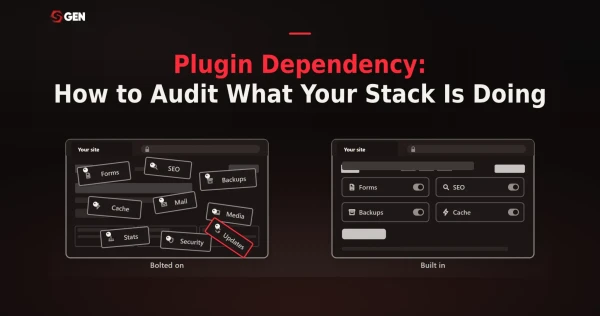
WordPress inverts the pricing problem: the license is $0 and the assembly is the expense: forms, SEO, security, caching and backups bought separately, each on its own renewal date. The danger here is the level of risk in plugin dependency that can break a website at any given time.
Managed platforms fold that surface into the subscription instead. Competitors like Wix, Squarespace, Webflow, Framer, and Hostinger bundle hosting, SSL and updates into the plan price; you trade control for a bill you can forecast.
Maintenance hurts profitability
Someone owns core, theme and plugin updates indefinitely, including the morning an update breaks checkout. Webflow calls that engineering "time spent keeping the lights on" leading agencies searching for ways to cut WordPress maintenance time. Meanwhile, WP Engine agrees that automated plugin management recovers more than ten non-billable hours per client, per month.
WordPress is becoming harder to manage
The average WordPress install runs 20 to 30 plugins, and each one is a maintenance obligation with its own release schedule. Per Patchstack's State of WordPress Security in 2026, plugins accounted for 91% of the 11,334 new vulnerabilities reported across the WordPress ecosystem last year.
That's an ongoing setup cost as 78% of WordPress sites compromised in 2025 had at least one outdated plugin running at the time. Bottom line is, managing WordPress well means tracking dozens of independent release cycles indefinitely.
WordPress slows delivery
A custom WordPress build typically runs four to eight weeks: from sourcing a theme, configuring page builders, to testing plugin compatibility before a single page is client-ready. Modern builders compress that same scope to as little as a weekend because hosting, design, and functionality ship as one system instead of being assembled from parts.
The gap is everything that has to be wired together before the editor is usable, prompting users to look for alternative platforms that can build client websites faster.
What Modern Websites Do Differently
Modern platforms take four jobs off the owner's desk: hosting, feature assembly, page delivery and content structure.
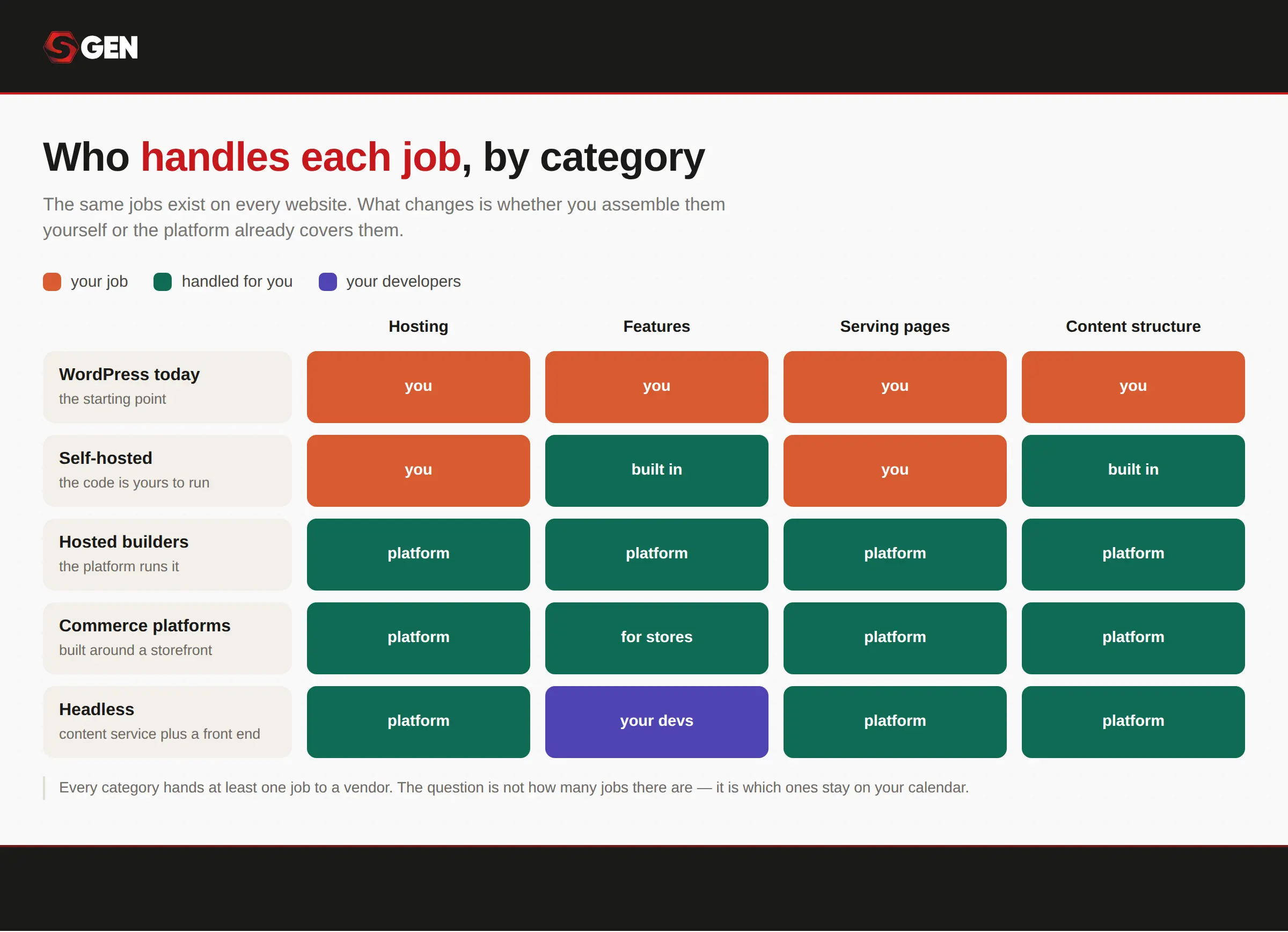 How WordPress compares to its competitors in handling functionalities.
Open-Source and Self-Hosted
These platforms keep the WordPress ownership model but rebuild the architecture underneath it: you still run the software, but the core does more out of the box. Ghost ships publishing, newsletters, and paid memberships as first-party features; Drupal and ProcessWire model structured content natively instead of bolting it onto a blog-post object.
The trade is honest, you get full control of your code and data, and in exchange the server, updates, and security remain your job. If the part of WordPress you liked was ownership and the part you didn't was the plugin stack, this category is the closest relative.
Hosted / Drag-and-Drop Builders
This category absorbs the most jobs: hosting, delivery, and feature assembly all move to the vendor, and you work in a visual canvas instead of a theme editor. Wix, Squarespace, and Webflow bundle templates, SSL, and a CDN into one subscription so there is no server to choose and no PHP version to babysit.
The ceiling is the trade: you build inside the vendor's system, and your site generally lives on their infrastructure on their terms. For owners who want a site without ever thinking about the stack, this is the category built for them.
E-commerce Focused
These platforms treat the store as the product, not a plugin added to a blog. Shopify and BigCommerce ship checkout, payments, inventory, and tax handling as core features on managed infrastructure, the parts of WooCommerce that usually require a stack of extensions and a capable host.
That focus cuts both ways: they are excellent at selling and thinner at everything else, so content-heavy sites often end up pairing them with another tool. If revenue runs through the site, this category removes the most risk from the owner's desk.
Headless and JAMstack
This category splits the CMS in two: Strapi, Sanity, or Contentful manage the content, and a separate front end built by your developers delivers it wherever it needs to go. Pages are typically precompiled and served from a CDN, which is why these sites tend to be fast and hard to knock over.
The cost is that "headless" means no head: there is no theme to activate, so every screen the visitor sees is custom development work. It is the most flexible category on this list and the only one that assumes a development team is part of the plan.
10 Best WordPress Alternatives
A WordPress stack is a host invoice plus plugin renewals plus somebody's hours. Meanwhile every alternative in this guide is a hosted platform. None installs onto your existing shared-hosting account except for Ghost.
Squarespace
Ideal for: Design-led freelancers and small studios shipping client sites without a hosting stack.
- Standout features
- •Fluid Engine editor with Blueprint AI
- •Native store, scheduling, invoicing and email campaigns
- •Managed hosting, SSL and platform updates.
- Pricing Scheme
- •Billed annually: Basic $16/mo, Core $23/mo, Plus $39/mo, Advanced $99/mo
- •Billed monthly: $25/$33/$56/$139)
- •14-day trial, no free tier.
Squarespace is a closed, fully hosted platform built around design. The Fluid Engine editor and Blueprint AI generate a layout from your inputs, and one subscription carries the store, scheduling, invoicing, payments and email campaigns. Basic starts at $16/mo billed annually, with a 14-day trial.
If WordPress makes you the sysadmin: hosting choice, core and plugin patching, conflict triage, backups, Squarespace owns hosting, SSL, updates and security instead. That removes maintenance hours a freelancer cannot bill back to a client. Annual plans include a free custom domain for year one.
Capterra rates Squarespace 4.6 out of 5 across 3,409 reviews. Reviewers there score no-code website creation 94% positive, visually appealing design tools 92% positive, and accessibility for small businesses 91% positive. The counterweight sits in the same dataset: customization and integration restrictions register 71% negative.
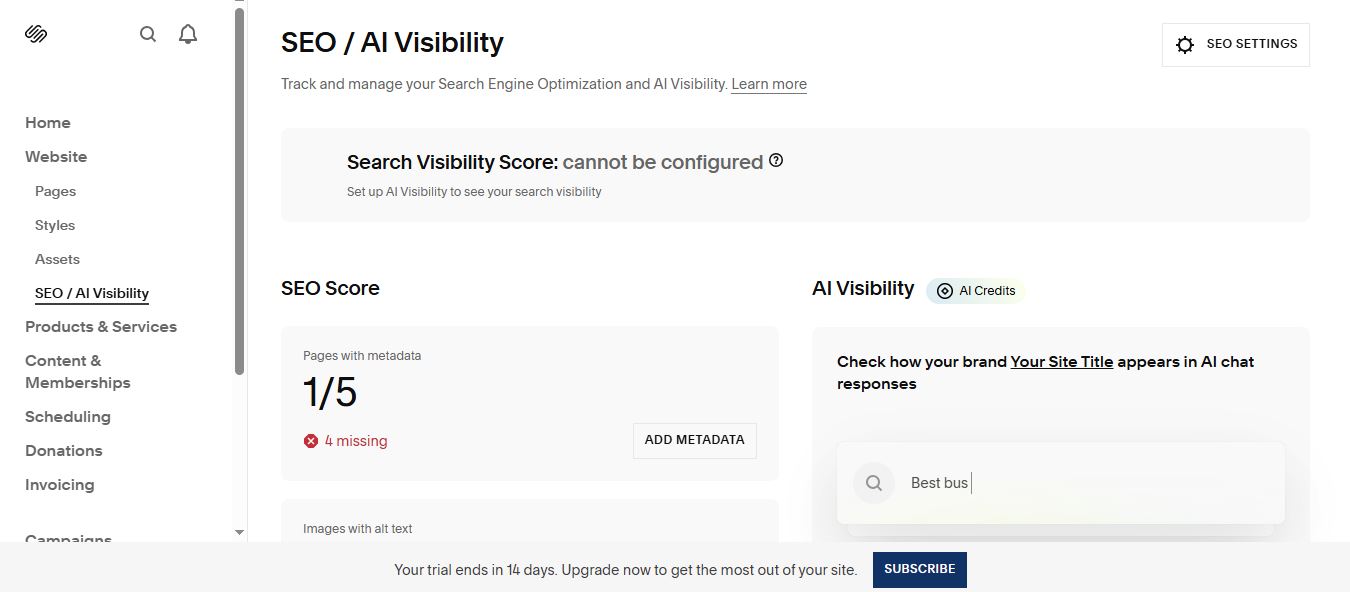
Squarespace's SEO / AI Visibility panel tracks metadata gaps and previews how a site's brand shows up in AI chat responses. (Image Source: Squarespace)
Pros
- Capterra rates it 4.6 out of 5 across 3,409 reviews.
- $16/mo annually covers hosting, SSL and a first-year domain.
- Store, scheduling, invoicing, POS and email campaigns on one subscription.
- Capterra reviewers flag customization and integration restrictions at 71% negative.
- No self-hosting and no free tier; leaving means a rebuild.
- The .xml importer drops plugin content, galleries, captions and CSS.
Not a good fit if: you need custom JavaScript or a bigger team as code injection is gated to the Advanced plan, and Basic caps you at two contributors.
Migrating from WordPress: Squarespace accepts a standard WordPress XML export and will pull in posts, pages, and basic content through its built-in importer. What it won't carry over: plugin-dependent content (galleries, forms, custom fields), image captions, and any custom CSS or theme styling as those need to be rebuilt by hand in Squarespace's own design system.
Because the importer only moves raw content, expect to spend time reconstructing layout and design rather than data entry. Most freelancers treat this as a partial head start, not a full migration so budget for a rebuild of anything visual.
Framer
Ideal for: Web design freelancers and designer-led studios shipping animated marketing sites without a developer.
- Standout features
- •Figma-shaped canvas that publishes a live hosted site
- •Native scroll, hover and page-transition animation
- •AI agents that build layouts and fill the CMS.
- Pricing Scheme
- •Free tier; Basic $10/mo (2 CMS collections, 50 GB bandwidth)
- •Pro $30/mo (10 collections, staging, branching).
- •Extra editors $20/mo, content editors $10/mo.
Framer is a hosted site builder with a canvas shaped like Figma. A designer lays out pages, wires scroll and hover animation, and publishes to Framer's hosting without a developer handoff. AI agents draft layouts and fill the CMS on monthly credits: 1,000 on Basic, 3,000 on Pro.
No patch queue. Framer runs hosting, SSL, CDN, caching and version rollbacks itself, against a published 99.99% uptime figure. What a WordPress owner budgets for: a host, a theme, and a page-builder license is not on this bill. Metering replaces it: 50 GB bandwidth on Basic, 1 GB on the free tier.
Capterra rates Framer 4.3 out of 5 across 32 reviews, with 84% positive feedback. Reviewers call it faster and easier than Webflow or WordPress, praising components and animation control. Ease of Use scores 3.7; seats read as expensive, support replies slowly.
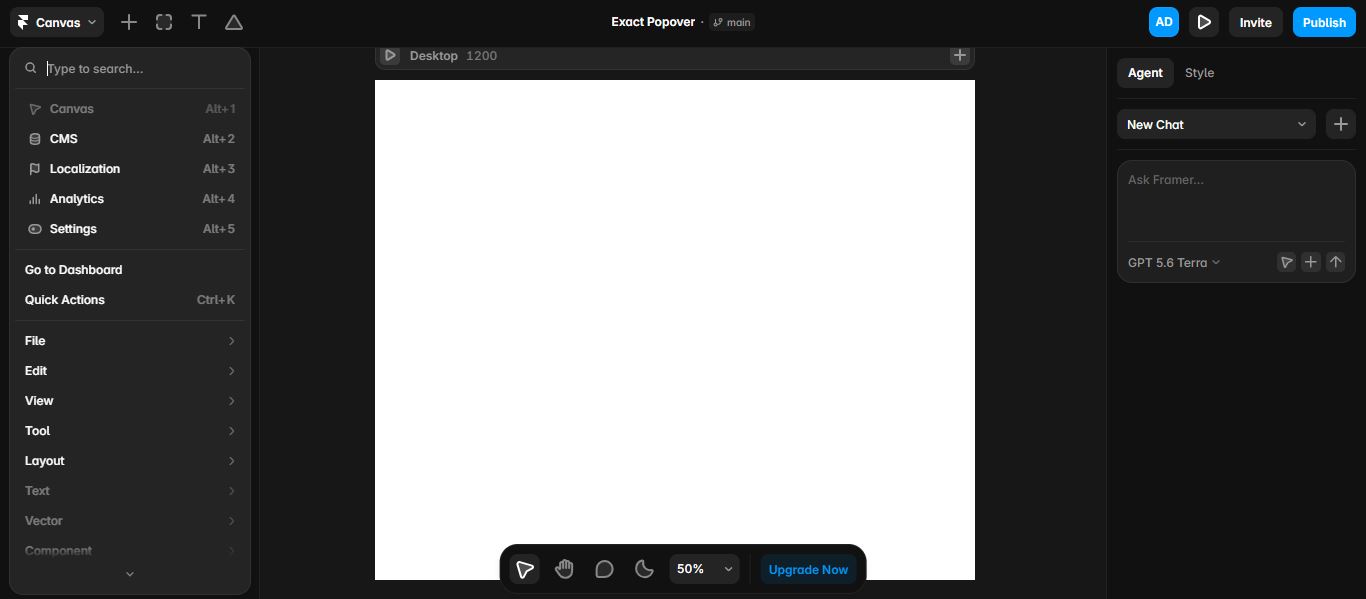
Framer's canvas alongside its built-in AI agent, ready to generate or edit layout on request. (Image Source: Framer)
Pros
- Designers build and publish without a developer, on a canvas close enough to Figma to be muscle memory.
- Hosting, SSL, CDN, DDoS protection and version rollbacks are included in the plan price.
- Scroll, hover and page-transition animation are native to the canvas. On WordPress the same effects need a paid page-builder or custom JavaScript.
Cons
- No HTML export and no self-hosting, so leaving Framer means rebuilding elsewhere.
- Seats stack on the site plan: $20/mo per extra editor, $10/mo per content editor.
- CMS collections cap at 2 on Basic and 10 on Pro, and reviewers report slow support replies.
Not a good fit if: you sell products, run memberships or courses, or need code ownership since Framer has no native ecommerce and no export path.
Migrating from WordPress: Framer has no native WordPress import tool. There's no XML upload, no plugin bridge, nothing that reads a WordPress export file. Content has to be manually recreated inside Framer's canvas: copy over text and re-upload media one page at a time, then rebuild layout using Framer's own component system rather than your old theme's structure.
Some freelancers speed this up by rebuilding the highest-traffic pages first and treating the rest as a phased rollout. Because Framer's animation and interaction model is fundamentally different from WordPress page builders, this is closer to a redesign than a migration.
Webflow
Ideal for: Agencies and studios delivering client sites who bill for design, not maintenance.
- Standout features
- •CSS-level visual design that outputs semantic HTML and CSS
- •Agency workspace with unlimited staging and Shared Libraries
- •Managed hosting, no plugin layer.
- Pricing Scheme
- •Site plans from $15/mo per site billed yearly, plus a Workspace plan
- •Freelancer $16/mo yearly, Agency $35/mo yearly.
- •Extra seats: Full $39/mo, Limited $15/mo (billed yearly).
- •A free Starter tier runs on a webflow.io subdomain
Webflow is a visual design tool that outputs production code. Layout is set on a canvas exposing the CSS box model directly. Webflow re-packaged its plans in May 2026, folding CMS and Business into a single Premium Site plan.
Agencies on WordPress absorb unbillable hours in plugin updates, core updates, PHP versions and security patching. Webflow has none of those tasks: hosting is managed and auto-cached, and updates land automatically in a secure sandbox. Site-level roles and 301 redirects sit in the workspace.
Capterra rates Webflow 4.5 out of 5 across 266 reviews, Ease of Use and Customer Service both 4.1. Reviewers praise fast, flexible visual building and code export. The recurring complaint is the learning curve: the canvas rewards people who already know CSS.
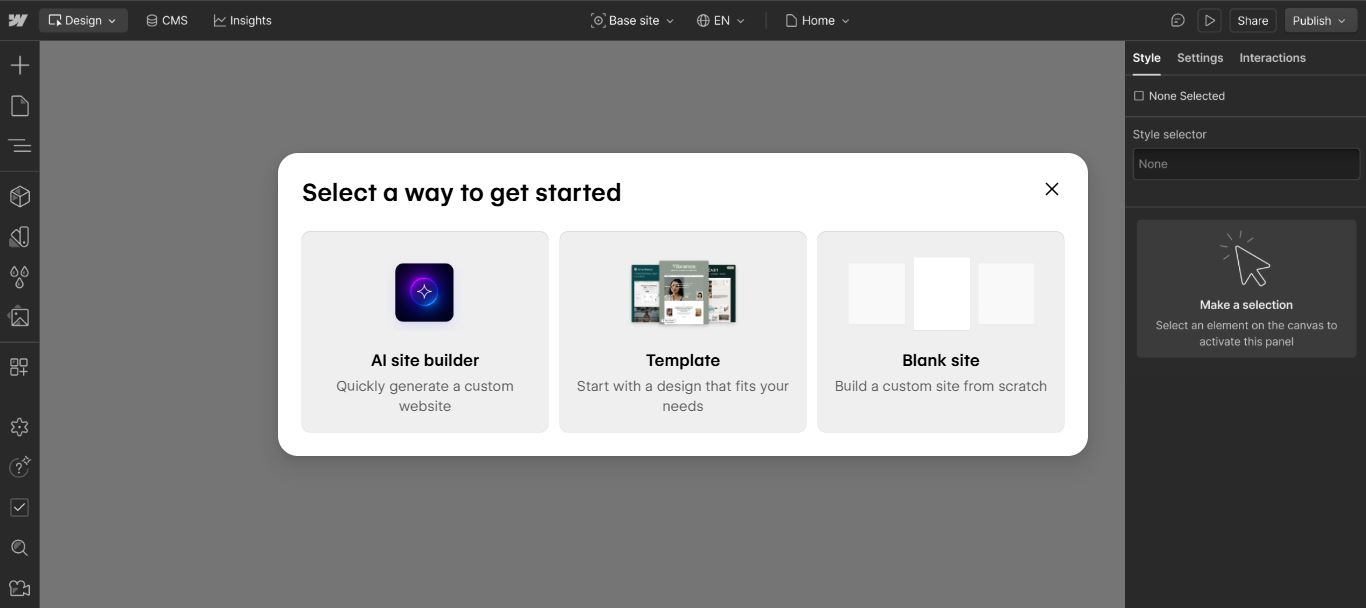
Webflow's starting-point picker: an AI-generated site, a template, or a blank canvas. (Image Source: Webflow)
Pros
- Freelancer ($16/mo yearly) and Agency ($35/mo yearly) workspaces add unlimited staging and free client seats per site.
- No plugin, core or PHP updates to run. Managed CDN hosting, SSL and DDoS protection included.
- Site password protection and unlimited Shared Libraries support client review and component reuse.
Cons
- Complex, three-axis pricing scheme
- Migration is a rebuild: Webflow's help center states there is no automated way to convert a site into Webflow.
- No self-hosting, and code export is gated behind a paid workspace tier, producing a bundle without CMS or forms.
Not a good fit if: you quote one predictable monthly fee as every custom-domain site needs its own Site plan plus a Workspace plan and paid seats.
Migrating from WordPress: Webflow's own help documentation confirms there is no automated import path from WordPress: no XML reader, no plugin, no one-click conversion. So migration means rebuilding each page in the Webflow Designer using its CSS-based canvas, then manually re-entering CMS content (blog posts, products, custom fields) into Webflow's own Collections structure.
Agencies typically treat this as a paid rebuild project, not a data-transfer task, and quote it accordingly to clients. The upside teams cite: rebuilding gives a chance to clean up years of WordPress plugin cruft rather than dragging it forward.
Wix
Ideal for: Non-technical small business owners who want a site, bookings and payments on one subscription.
- Standout features
- •Wix Harmony prompt-to-site AI builder
- •Native bookings, CRM, forms, automations and payments
- •Wix Studio from US$12/mo per client site.
- Pricing Scheme
- •Free tier
- •Light $17/mo
- •Core $29/mo
- •Business $39/mo (yearly prepaid)
Wix is a fully hosted, closed platform. Wix Harmony, its AI website builder, generates a business-ready site from one prompt, backed by 900+ templates and a drag-and-drop editor. Bookings, CRM, forms, automations, payments and eCommerce are native, and the free tier publishes on a Wix subdomain.
Wix owns the whole stack: hosting, SSL, CDN, DNS, security monitoring and platform updates sit inside the plan price. There is no host to choose, no PHP version to mind and no plugin layer to patch. The owner keeps the site without keeping a developer.
Capterra reviewers rate Wix 4.4 out of 5 across 10,732 reviews, with Ease of Use at 4.5 so clearly non-technical owners do ship sites here. Customer Service trails at 4.2, and reviewers report friction with the company rather than the editor.
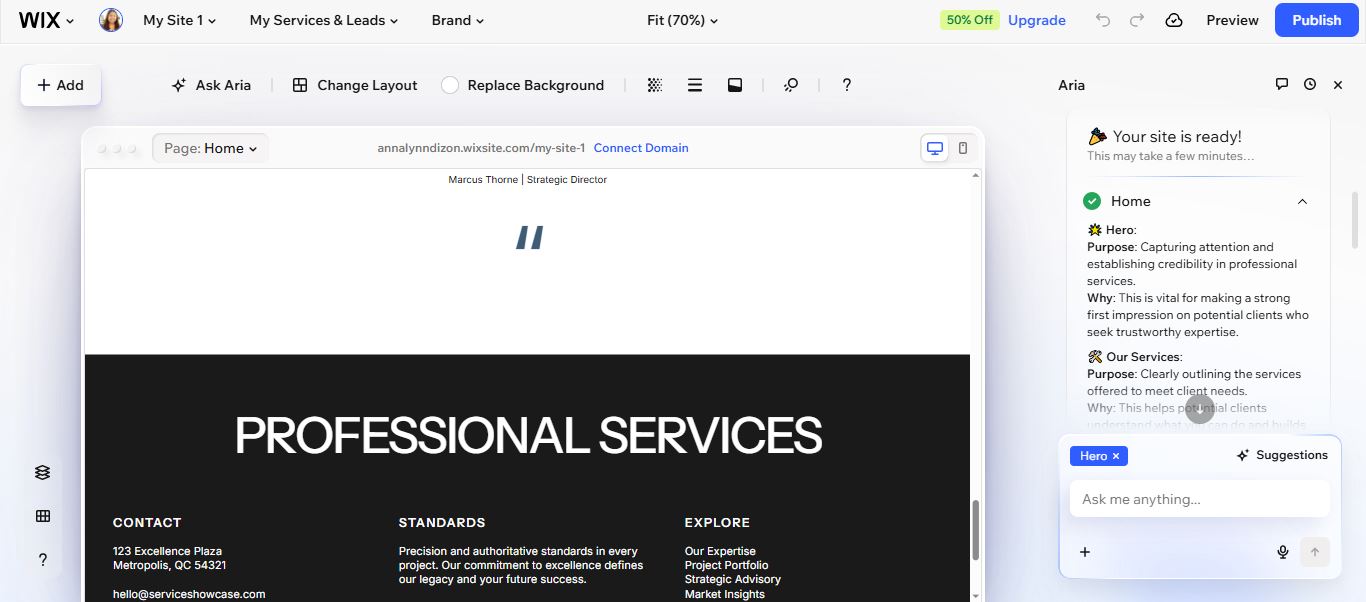
Wix's Aria AI assistant explains the purpose behind each section as it builds out the homepage. (Image Source: Wix Harmony)
Pros
- Wix Harmony generates a site from one prompt against 900+ templates, with hosting, SSL and security included. The WordPress equivalent starts with choosing a host and licensing a theme.
- Bookings, CRM, forms, automations, payments and eCommerce are native rather than a plugin stack to license and patch.
- Wix Studio prices agency-work separately from US$12 per client site monthly, with concurrent editing and reusable design libraries.
Cons
- Wix states a site cannot be backed up externally, and its WordPress importer only moves blog posts.
- Billing is the complaint reviewers raise most, and support is the lowest-rated area on Capterra.
- The App Market lists hundreds of integrations against WordPress's tens of thousands of plugins.
Not a good fit if: you or your client might ever need to leave as Wix documents no external backup, so the exit is a rebuild.
Migrating from WordPress: Wix's WordPress import tool only pulls in blog posts (titles, body text, and publish dates), leaving pages, custom post types, forms, and design entirely behind. Images embedded in posts typically need re-uploading since the importer doesn't reliably carry media. Anything built with a WordPress page builder or theme has to be recreated from scratch in the Wix editor.
Because Wix itself confirms there's no way to back a site up externally afterward, treat the move as one-directional: budget time for a rebuild, not just a content import.
Hostinger
Ideal for: Small business owners on a tight budget needing a live, self-managed site.
- Standout features
- •Horizons AI prompt-to-page flow;
- •Hosting, a one-year domain, unlimited SSL and mailboxes on one subscription;
- •1,000 products with zero transaction fees on Business.
- Pricing Scheme
- •Premium $2.99/mo introductory on a 48-month prepay ($143.52), renewing at $10.99/mo
- •Business $3.79/mo introductory ($181.92), renewing at $16.99/mo.
- •14-day free trial.
Hostinger Website Builder is a fully hosted, closed platform. The Horizons AI flow turns a plain-language prompt into pages, and 300+ templates cover the rest, so a non-technical owner publishes without hiring anyone. Hosting, a one-year domain, SSL and mailboxes sit in one subscription.
A WordPress build starts with choosing a host, a theme and a plugin stack, then patching all three indefinitely. Hostinger bundles host, domain, SSL and editor into one subscription, so there is no separate hosting bill and no plugin layer to keep compatible.
Capterra rates Hostinger 4.5 out of 5 across 650 reviews, with affordability and the AI builder's short-prompt output the recurring praise. Complaints run consistent too: the editor gets awkward for advanced work, and reviewers report support that feels AI-mediated and hard to escalate to a human.
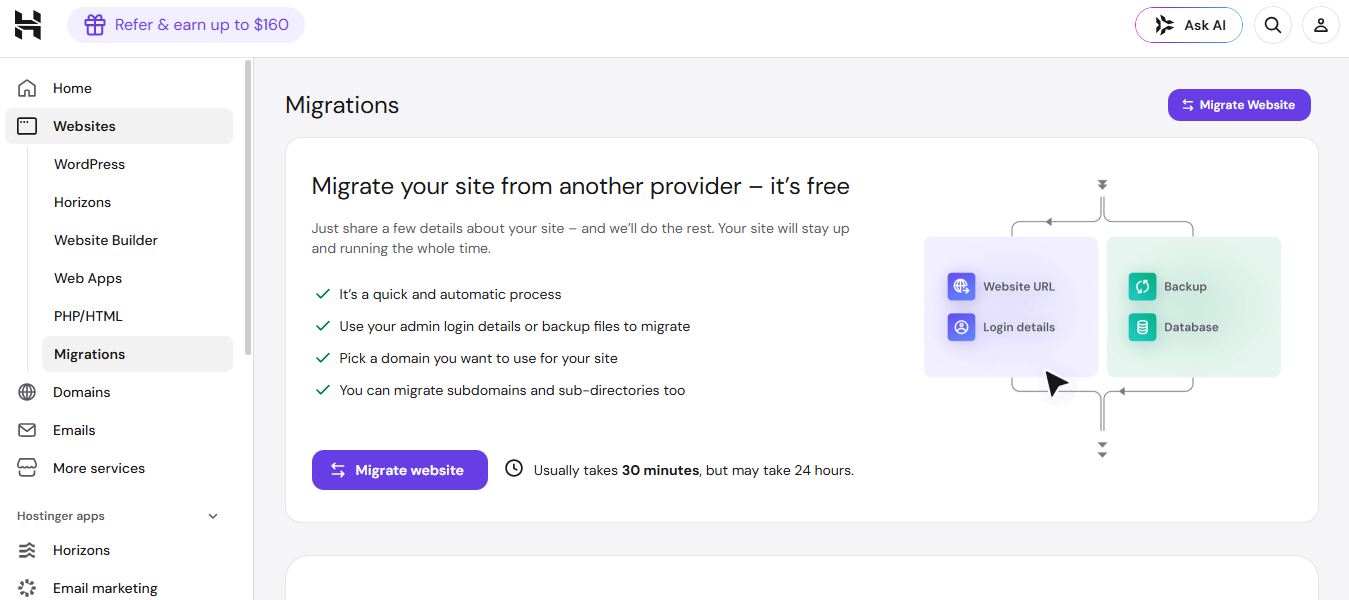
Hostinger hosting migration keeps you running your site on WP. (Image Source: Hostinger)
Pros
- $2.99/mo introductory bundles hosting, a one-year domain and unlimited SSL.
- Horizons plus text, image, blog, logo and SEO assistants cover the build without a developer.
- Businesses can sell 1,000 products with zero transaction fees, 100+ payment methods and Printful.
- The $2.99 headline is a 48-month prepay that renews at $10.99 or $16.99/mo.
- Hostinger's docs confirm no migration tool either way; exports drop layout, store, forms and SEO settings.
- No plugin ecosystem and limited code control, so advanced work hits a ceiling.
Not a good fit if: you are an agency or technical buyer since there is no client handoff, no multi-site management, no export path.
Migrating from WordPress: Two different things are called migration at Hostinger, and only one applies to the builder. The free done-for-you migration moves a WordPress site onto Hostinger's WordPress hosting, where it stays WordPress, usually within hours. Moving into the Website Builder itself is a rebuild: no import exists, so pages are recreated in the editor and content is copied across by hand.
The builder does have a one-way export to WordPress (pages, text and images; not layout, store, forms or search settings), so a builder site is not a dead end if you later leave. Given the platform's budget positioning, most owners treat this as a from-scratch relaunch rather than a data move.
GoDaddy
Ideal for: Non-technical local and service business owners who want one vendor, one bill and 24/7 phone support.
- Standout features
- •Builder, hosting, domain and SSL on one account
- •24/7 live phone, chat and knowledge base
- •Bundled GoDaddy Studio design app.
- Pricing Scheme
- •Websites + Marketing plans, billed annually
- •Basic $9.99/mo
- •Premium $14.99/mo
- •Commerce $20.99/mo
GoDaddy Website Builder, sold as Websites + Marketing, is a fully hosted SaaS builder priced in three published tiers. Hosting, domain, SSL and platform updates sit in one account under one login, with no host to choose and no theme layer to keep current.
The contrast with WordPress sits in what never gets assembled: no theme-and-plugin stack to license, update and reconcile, and no blame passed between host, theme and plugin when a page breaks. A local service business deals with one vendor and a phone line staffed 24/7.
Capterra rates GoDaddy Website Builder 4.2 out of 5 across 1,379 reviews. Reviewers there credit fast setup, bundled hosting and support that answers. The recurring complaint is a customization ceiling that tightens as a business grows.
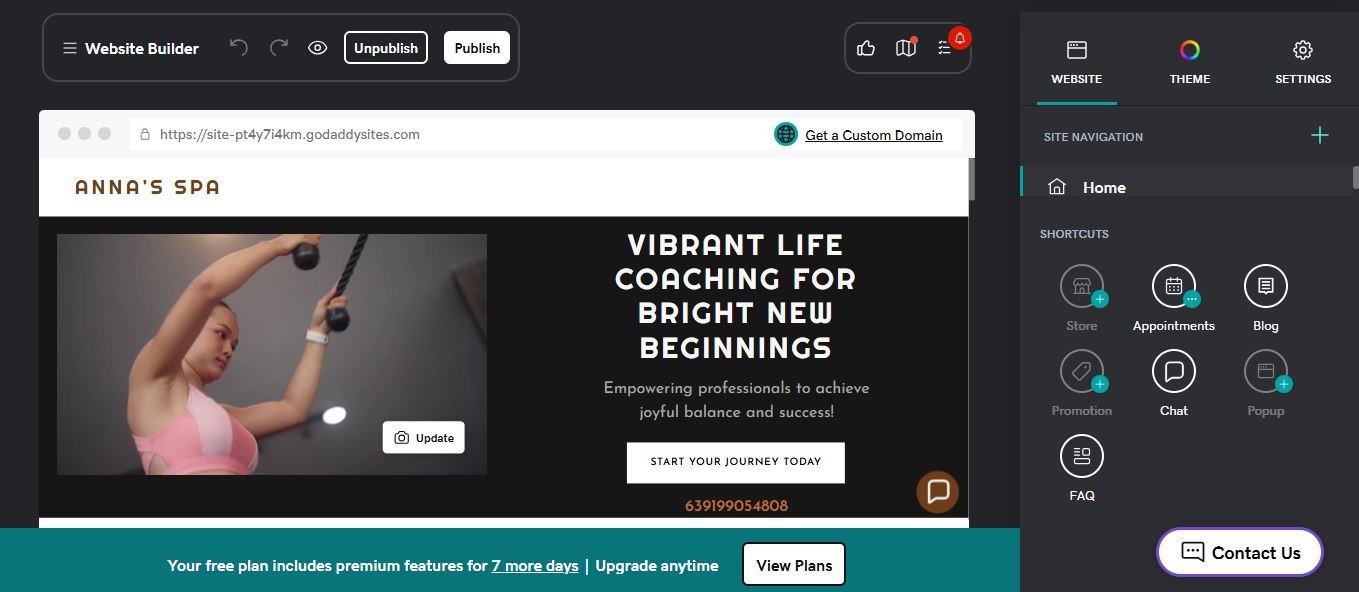
GoDaddy's Website Builder, with appointments, blog, and store shortcuts all managed from the same left-hand panel. (Image Source: GoDaddy)
Pros
- Capterra reviewers report non-technical staff learning the editor in hours, with hosting, domain and SSL bundled from $9.99/mo.
- 24/7 live phone, chat and knowledge base, with customer service scoring 4.2 out of 5 on Capterra.
- The bundled GoDaddy Studio app covers logos, social posts and marketing graphics.
Cons
- Design control is narrow: limited HTML and CSS, and templates Capterra reviewers call dated.
- The $9.99/mo entry rate is a first-term price; renewal terms should be checked at signup.
- No export function, so leaving means rebuilding the site elsewhere by hand.
Not a good fit if: you need design control, code access or an exit as there are no exports, no client handoff, and limited HTML and CSS.
Migrating from WordPress: GoDaddy's Website Builder has no WordPress import tool so content moves in the same way it moves out, which is to say manually. Text gets copied and pasted page by page, and images are re-uploaded through GoDaddy Studio or the builder's media panel. Forms, custom post types, and any plugin-driven functionality have no equivalent import path and must be recreated using GoDaddy's native tools.
Given the platform's design ceiling, most small business owners treat the move as a simplified redo rather than an attempt to preserve the original site's structure.
Shopify
Ideal for: Small businesses selling physical or digital products.
- Standout features
- •Checkout, payments, POS and 10-location inventory
- •800+ themes, Liquid and the Storefront API
- •300+ points of presence.
- Pricing scheme
- •Basic $29/mo billed yearly ($39 monthly),
- •Grow $79/mo yearly ($105 monthly),
- •Advanced $299/mo yearly ($399 monthly)
- •Plus from $2,300/mo.
- •Gateway fees run 2% to 0.2% by tier.
Shopify is hosted commerce software. Checkout, payments, inventory across 10 locations, POS and shipping are core products, not plugins, and every plan bundles unlimited hosting with a free SSL certificate. A free first-party Store Migration app imports products and customers from WooCommerce. Checkout customization is limited on Basic.
Shopify's commerce stack arrives as one supported product, served from 300+ points of presence against a 99.9% uptime figure. The WooCommerce equivalent assembles gateway, shipping, tax and caching plugins someone patches indefinitely, including the update that breaks checkout mid-sale. The trade-off is control: URLs largely stay on Shopify's commerce paths.
Capterra rates Shopify 4.5 out of 5 across 6,700 reviews, with Ease of Use at 4.5 and 93% positive sentiment against 2% negative. Reviewers describe a setup that suits small businesses without a developer, though the recurring counterweight is cost, which compounds well past the headline rate.
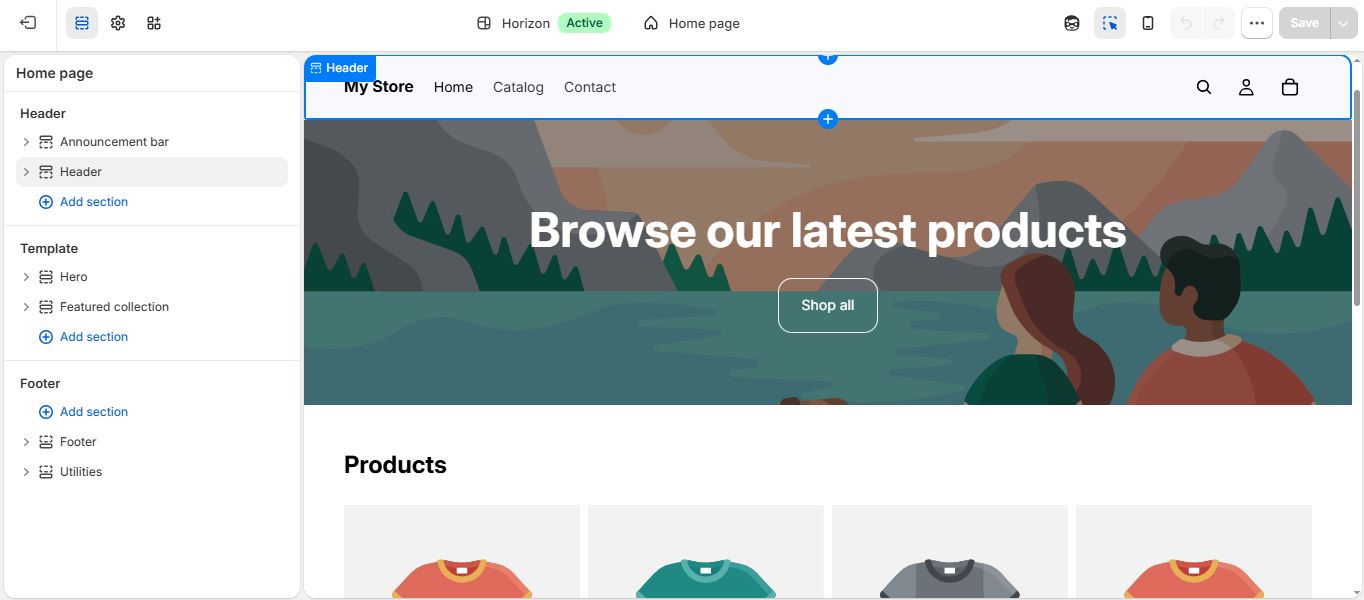
Shopify's theme editor, with the Horizon template's hero section and product grid ready to customize. (Image Source: Shopify)
Pros
- Checkout, payments, 10-location inventory and POS are core, with hosting and SSL on every plan.
- 800+ themes for non-coders; Liquid, metafields and the Storefront API for developers.
- The iOS merchant app rates 4.7 out of 5 from 39K ratings.
Cons
- Third-party gateways are taxed on every tier, 2% on Basic to 0.2% on Plus.
- A store, not a CMS so content and membership sites are poorly served next to WordPress.
- No self-hosting and no database access, so leaving is a rebuild.
Not a good fit if: you publish content rather than sell products, or need staff logins at entry level as Basic includes none.
Migrating from WordPress: Shopify's free Store Migration app (currently Early Access) covers one specific case, a WooCommerce store, and it imports products only, via a CSV upload through the app. Customer records and order history are not part of that first-party tool; Shopify's own migration guide directs those to manual CSV export/import, a third-party migration app from its App Store, or hiring a Shopify Partner.
Blog content, custom pages, and anything outside WooCommerce's data model still need manual recreation in Shopify's theme editor. This means businesses moving from WooCommerce get a real head start on the product catalog specifically but everything else, including customers, still takes extra steps.
BigCommerce
Ideal for: Small businesses selling at volume, and technical teams that want API access without running a server.
- Standout features
- •REST and GraphQL storefront APIs plus Catalyst
- •$0 platform transaction fees on embedded payment providers
- •Multi-storefront, multi-currency and B2B
- Pricing scheme
- •Core $29/mo ($39 monthly)
- •Growth $79/mo ($105 monthly)
- •Scale $299/mo ($399 monthly)
- •Performance from $1,499/mo.
Ecommerce is the whole product here. Faceted search, multi-currency and multi-storefront (three to eight storefronts by tier) ship as platform features, not licensed plugins. BigCommerce's WordPress-plugin page states it handles hosting, updates and Tier 1 security. Capterra data shows 86 percent of its reviewers are small businesses.
BigCommerce takes the patch queue off the merchant. A WooCommerce store assembles payment, shipping and security plugins someone maintains indefinitely, where one update can break checkout mid-sale. Here that stack is one supported product, with hosting, SSL, CDN and updates run by the vendor.
Capterra rates BigCommerce 4.4 out of 5 across 339 reviews, with praise focused on built-in ecommerce breadth and freedom from third-party plugin dependence. Cost is the counterweight: sentiment turns negative on price as GMV tiers climb. Its App Store listing rates 4.5 across 633 ratings.
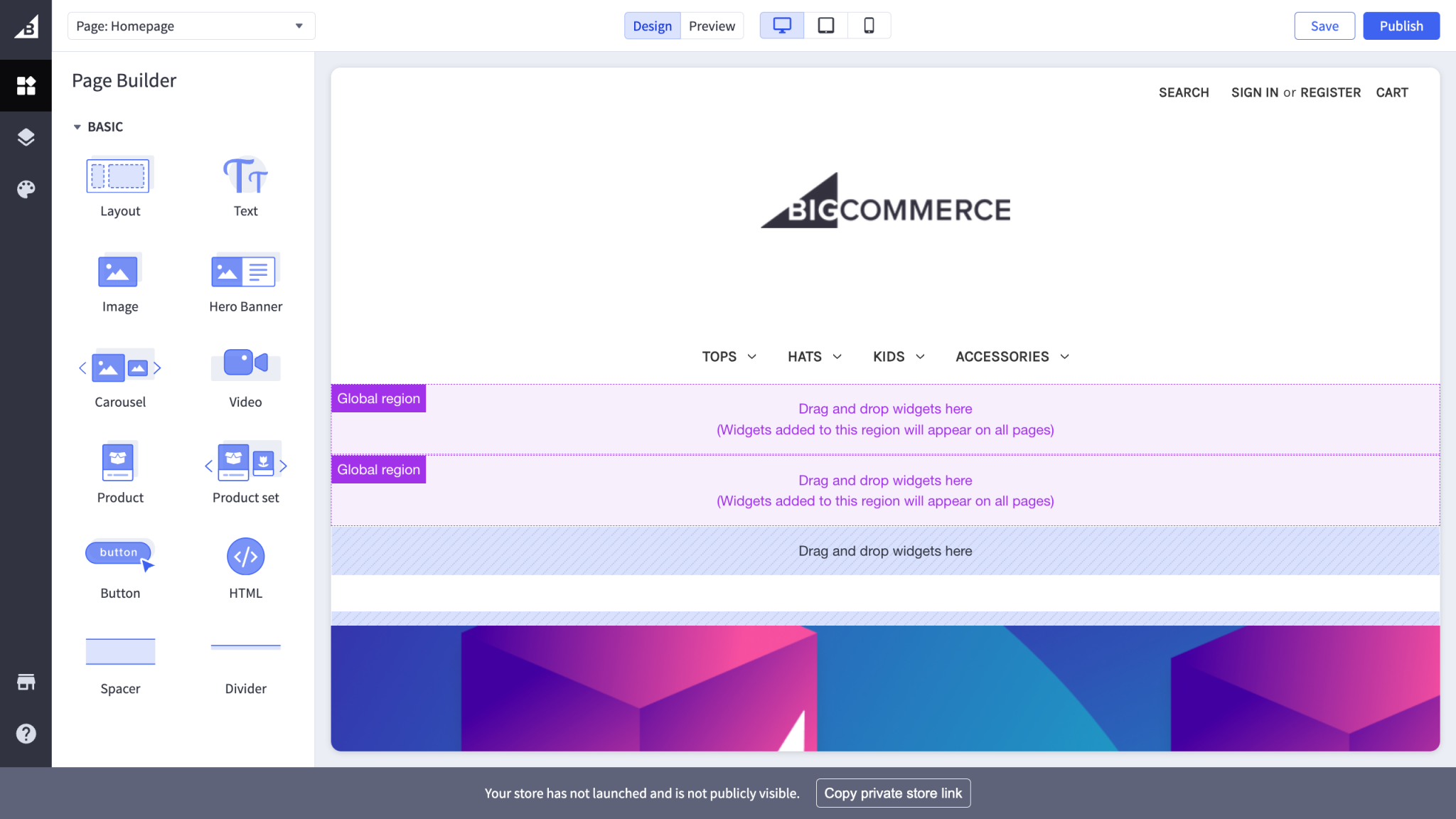
BigCommerce Page Builder interface comes with drag-and-drop widget options and an unpublished storefront homepage. (Image Source: BigCommerce Resource Center)
Pros
- Faceted search, multi-currency, B2B and multi-storefront ship with the platform, not as licensed plugins.
- $0 platform transaction fees on embedded payment providers, including Core.
- REST and GraphQL storefront APIs plus Catalyst, a Next.js reference architecture, for headless builds.
- Scale caps at $33,333 monthly GMV, with 0.9% charged above it.
- Abandoned cart saver and customer segmentation start at Growth; faceted filtering needs Scale.
- Reviewers say template customization needs coding knowledge, often a paid developer.
Not a good fit if: revenue is spiky or seasonal as crossing $30K then $100K trailing-twelve-month GMV auto-upgrades your plan, with no documented path back down.
Migrating from WordPress: BigCommerce documents an official migration path from WooCommerce, covering a catalog transfer app, CSV import, and its BC4WP plugin (which connects existing WordPress content to a BigCommerce backend), alongside paid managed-migration services for larger catalogs. This is more structured than a pure third-party workaround, but it's commerce-focused: product, order, and customer data move through this path.
Blog content and custom pages still need manual rebuilding in BigCommerce's own page editor. Larger stores commonly still bring in a BigCommerce Partner agency for anything beyond the standard catalog transfer. Budget both time and, likely, a specialist's fee if the catalog or content library is large.
Ghost
Ideal for: Technical decision-makers publishing at scale who want open-source code, API access and a self-host route.
- Standout features
- •Native newsletters, memberships and paid subscriptions at 0% platform transaction fees
- •Open-source Node.js core, self-hostable via Ubuntu CLI, Docker or source
- •Content and Admin APIs for headless builds.
- Pricing scheme
- •Ghost(Pro) managed hosting, billed yearly
- •Starter $15/mo (1 staff user)
- •Publisher $29/mo (custom themes, paid subscriptions, 3 staff users)
- •Business $199/mo (15 staff users).
Ghost is an open-source publishing platform on Node.js, run as Ghost(Pro) managed hosting or on your own server. The official docs recommend an Ubuntu machine with at least 1GB of memory; self-hosting carries no license fee.
Newsletters, memberships and paid subscriptions sit in core, where a WordPress site licenses each as an add-on and renews it annually. Content and Admin APIs make headless a documented path which is usually the first thing a technical buyer checks.
Capterra reviewers rate Ghost 4.7 out of 5 across 53 reviews (a small sample) with Ease of Use 4.5 and Customer Service 4.3. They cite the distraction-free writing interface and page speed; the recurring complaint is the missing plugin ecosystem.
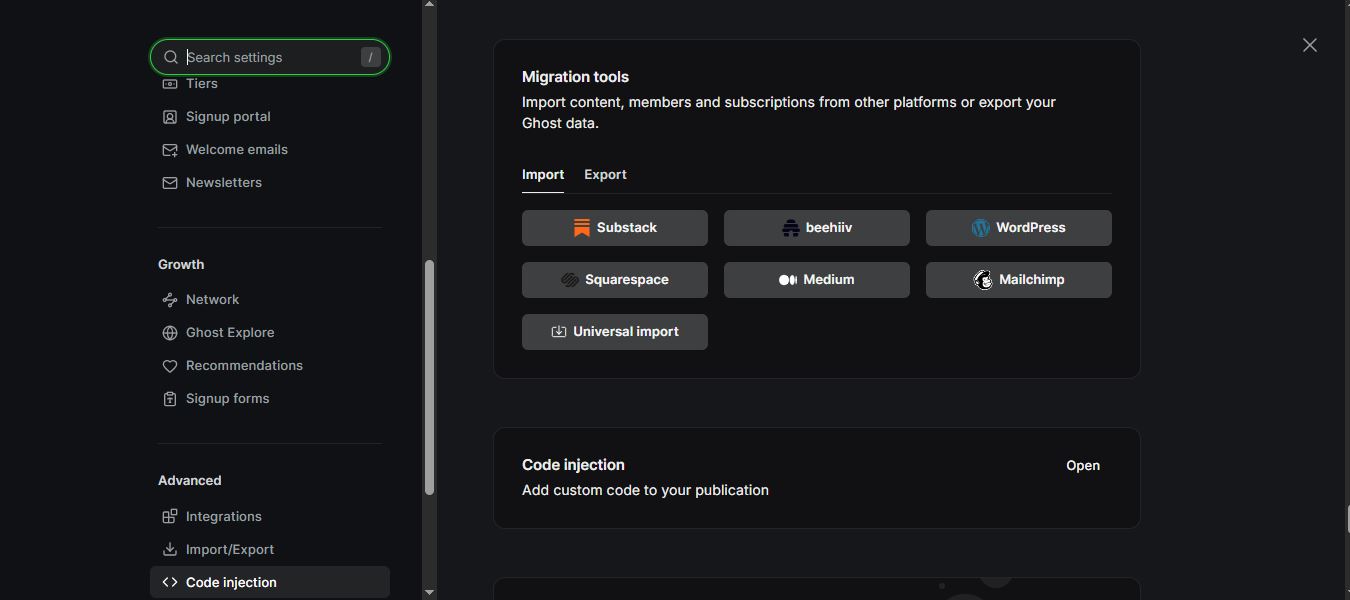
Ghost's built-in migration tools include a native WordPress import option, alongside Substack, Squarespace, and Medium. (Image Source: Ghost)
Pros
- Newsletters, memberships and paid subscriptions are core functionality, replacing several paid WordPress plugins and their annual renewals.
- The core is open source and self-hostable, so a technical team can run Ghost without paying the vendor.
- Ghost has no third-party plugin layer, so the patch surface is narrower than an equivalent WordPress stack.
Cons
- No plugin ecosystem and no ecommerce. Ghost publishes content rather than running a store.
- Design past the Starter plan's color and layout settings needs a hand-written Handlebars theme; there is no visual page builder.
- The WordPress importer caps at 2,500 posts and 100MB, drops custom post types, and flattens categories into tags
Not a good fit if: you need to earn on the cheapest tier as the Starter plan allows neither paid subscriptions nor custom themes, both of which start at Publisher.
Migrating from WordPress: Ghost has a built-in WordPress importer that brings posts and pages across, up to 2,500 per batch, so larger sites migrate in stages. Custom post types don't have a Ghost equivalent and get dropped entirely, and multi-level categories flatten into Ghost's simpler tag system, so taxonomy needs review post-import.
Member and subscriber lists can be brought in through Ghost's migration tools, and Ghost's team will do the whole move free for Ghost(Pro) customers. Imported posts get new addresses, so redirects need setting up. Most of the writing survives intact; structure and design rebuild in Ghost's Handlebars theme system.
SGEN
Ideal for: Web design freelancers building client sites; small agencies running a portfolio from one dashboard.
- Standout features
- •All 23 modules on every plan
- •Free access to sandbox
- •Site Manager with login-as-client, cloning, and stage-to-live publishing.
- Pricing scheme
- •Sandbox $0 (staging only).
- •Billed annually Indie $39/mo (1 live site), Studio $97/mo (3), Scale $297/mo (10), Enterprise $497/mo (unlimited).
- •Monthly billing runs about 15% higher. Every paid plan starts with a 2-week free trial.
Site Generation Engine Network (SGEN) is a hosted platform of 23 native modules including page builder, forms, SEO, ecommerce, backups among them with just one login and one bill. Price scales by live-site count, not feature unlocks; every tier, including the free Sandbox, carries the full Foundation Pack: hosting, SSL, CDN, a platform WAF (a built-in firewall), and security patching.
There is no plugin layer to license, so nothing third-party renews on its own calendar. The Sandbox costs nothing and needs no card, so a build can reach client sign-off before any subscription starts.
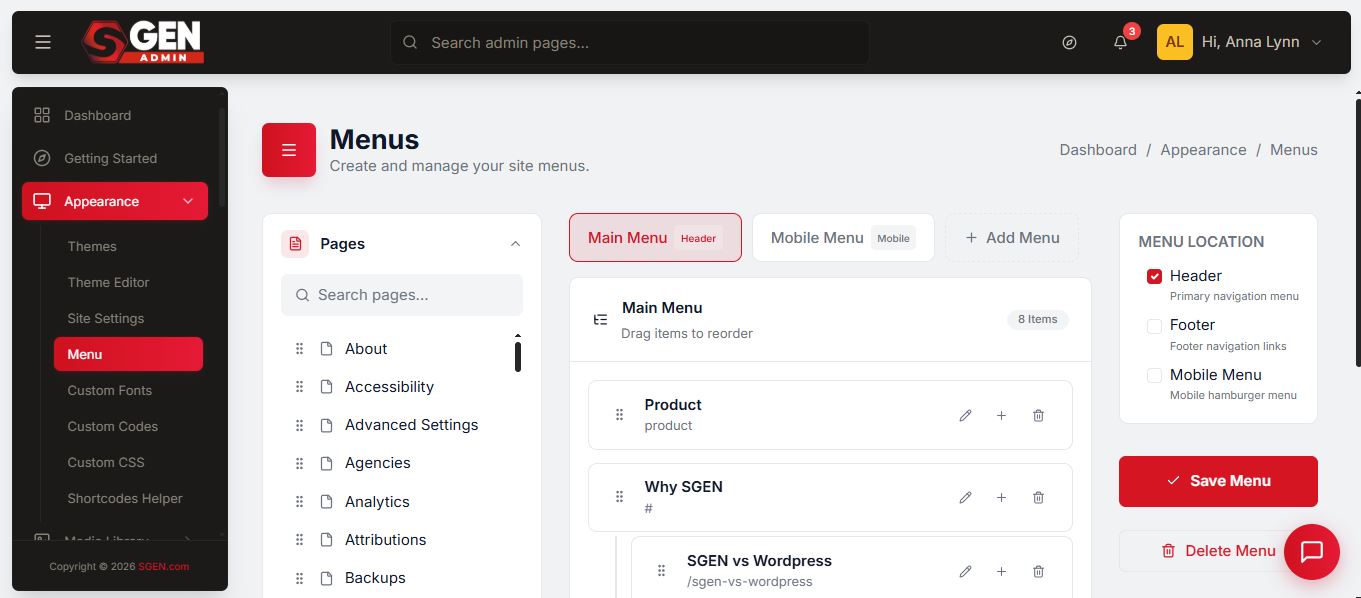
SGEN's Menu builder: drag-and-drop reordering, nested items, and per-location targeting (header, footer, mobile) in one panel. (Image Source: SGEN)
Pros
- Identical features on every tier as the plans differ only by live-site count, and the $0 Sandbox runs the whole platform on staging sites.
- First-party modules only, no third-party plugin licenses to renew, no cross-vendor version matrix to reconcile.
- Every price is published, including the unlimited-sites Enterprise tier so no sales call required unless you request for white glove migration service.
- Rebuild only. SGEN says it plainly: a move onto the platform is a rebuild, not an import.
- No G2, Capterra, or Trustpilot listing exists yet, so reliability rests on the vendor's word and its published showcase.
- Done-for-you rebuild pricing is quote-only.
Not a good fit if: you have WordPress plugins that can’t be recreated.
Migrating from WordPress: there is no one-click importer, and SGEN doesn't pretend otherwise. What moves is the content: pages and posts export to CSV or JSON, with a visual field-mapping step that preserves draft and published status. What gets rebuilt is the design, which SGEN treats as the point rather than the cost, since it leaves theme and plugin debt behind. Templates give that rebuild a starting point rather than a blank page.
Freelancers can do that rebuild free on the Sandbox before any plan is purchased, so the client never sees a bill for a site that isn't finished. For those who'd rather not do it themselves, SGEN offers a white-glove rebuild service, priced by quote.
When Is WordPress Still The Right Choice?
WordPress stays the right answer when a site's value sits in things no hosted platform here absorbs: custom plugin code, ACF field structures, and a developer who already knows the stack. Every WordPress alternative here either rebuilds the site or imports it loosely.Keep WordPress when:
- Your site is designed with bespoke field structures that do not survive an export
- You have an in-house or retained WordPress developer so the maintenance labor is already staffed and budgeted and is no longer the deciding cost.
- Your site requires a plugin with no equivalent elsewhere.
- You prefer your content to stay portable. WordPress content exports in full.
- Your established rankings across a large mature URL set becomes at risk even with careful redirects.
Can You Shift Website Platforms And Keep Your Rankings?
Short answer: yes, but it depends entirely on where you're going.Half of the platforms in this guide won't carry anything over automatically so you'd be starting from scratch. The other half will bring some of your content with you, though usually less than people expect.
What actually moves
Only three platforms: Wix, Squarespace, and Ghost have a tool built to read WordPress content and import it. Two more, Shopify and BigCommerce, have tools too, but built for store data such as products, customers, and orders, not blog posts or pages. Webflow, Framer, Hostinger, and GoDaddy have no automatic path at all so moving to any of them means rebuilding the site by hand.SGEN sits between the two groups: there is no one-click WordPress importer, but pages and posts export to CSV or JSON and come in through Advanced Import with a field-mapping step. The content moves even though the design is rebuilt.
Even where an importer exists, it rarely means the whole site:
- Ghost brings over up to 2,500 posts, but drops anything built with a plugin, and flattens categories into simple tags.
- Wix brings over blog posts: text, images, dates, alt text, and categories but not pages, design, or comments. Those get rebuilt by hand.
- Squarespace brings over the most: posts, pages, authors, categories, tags, and comments. Plugin-based content, photo galleries, captions, and custom styling get left behind.
- Shopify's free migration tool moves products and customers over from WooCommerce, not blog content, pages, or design.
- BigCommerce's migration tool handles up to 500,000 records of products, customers, and orders but no blog nor pages.
One thing worth knowing when moving a store specifically: Shopify's URLs are built around its own checkout system, so old WordPress page links usually won't line up cleanly with the new ones. That means more manual redirect work, not less.
How to protect SEO rankings during a move
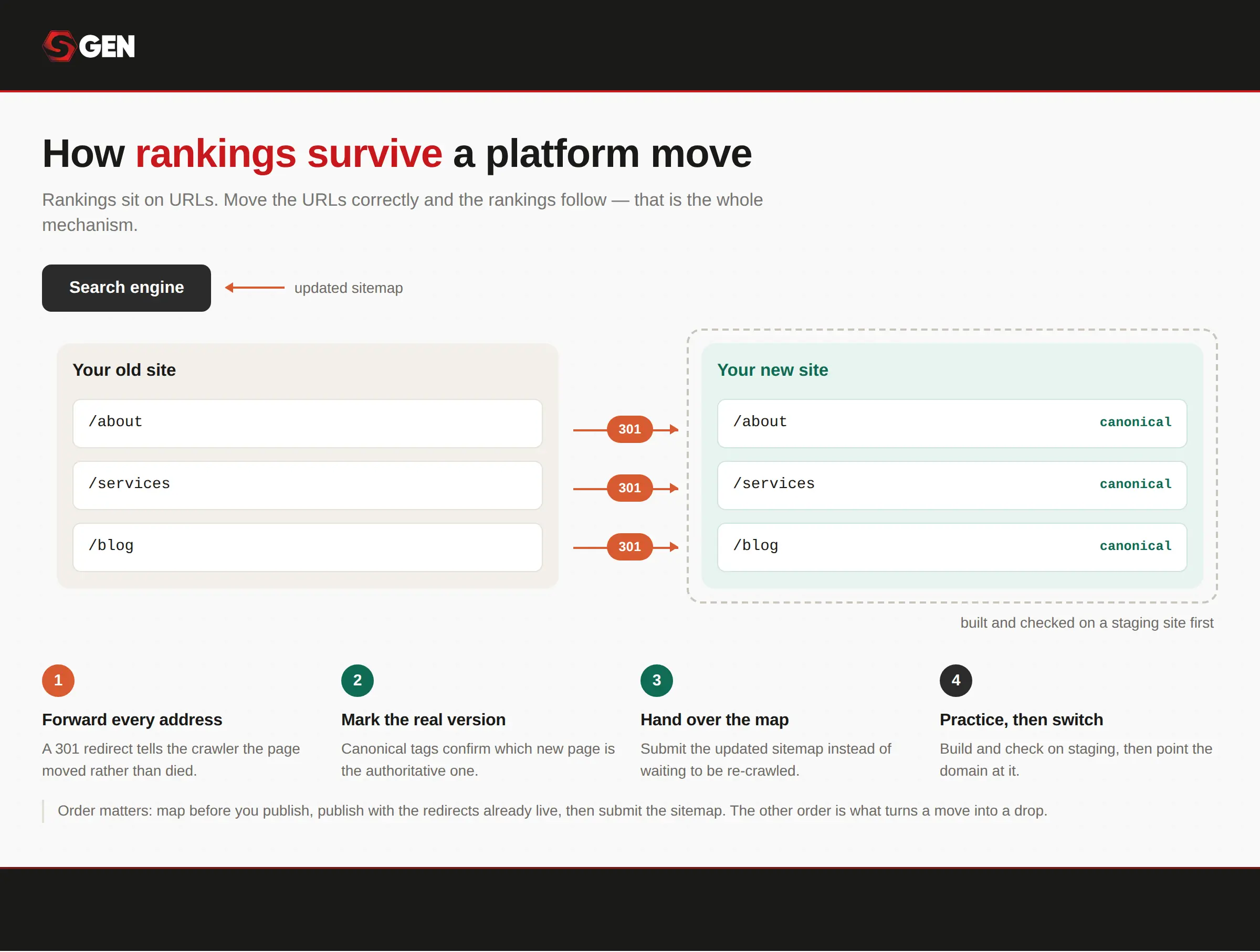
Google's standard site-move procedure, in order: forward every old address with a 301, mark the new pages as canonical, submit the updated sitemap, and build it all on staging before pointing the domain.
The risk above is real, but it's also well understood. Google publishes a standard procedure for moving a site, and it isn't platform-specific. It works whether the destination has a WordPress importer or none at all.
- Set up a 301 redirect from every old URL to its new equivalent, telling Google the page moved rather than disappeared.
- Add canonical tags to the new pages, confirming which version is the authoritative one.
- Submit an updated sitemap through Google Search Console once the new site is live.
- Build and check everything on a staging site before pointing the domain at it.
- Done this way, the lack of a native importer stops being the deciding factor. A platform with no WordPress import path and a solid redirect system loses less ranking than a platform with a generous importer and no redirect tooling at all. Webflow includes 301 redirect tools in its agency workspace. Framer allows 5 redirects on Basic and 100 on Pro. Worth checking before choosing but not worth ruling a platform out over.
Conclusion: Is It Time To Switch To A WordPress Alternative?
The right pick still comes down to who's building and what they're building for. Freelancers optimizing for delivery speed tend to land on Squarespace or Framer; small businesses managing cost tend toward Wix, and Hostinger stands out among WordPress competitors as the cheapest website builder on this list. Agencies protecting margin across a client roster lean toward Webflow or a flat per-site platform, while technical teams weighing exit routes and API access gravitate to Ghost.What the pain points in this guide point to is a narrower ask: a site that ships every capability natively, priced by how many sites it runs rather than which features it unlocks. No plugin stack to patch, no separate vendor per function, no script still assembling the page a visitor loads. That's the standard SGEN, a flat-rate website builder was built to, and the one worth measuring any alternative against.
For more recommendations:
- 7 Best Website Builders for Freelancers (2026)
- Best Website Builder for Small Business: 7 Top Picks
- 7 Best Agency Website Builder Options in 2026